Configure WinRM Trust
Configuring WinRM Trust prevents Windows LDAP configuration from blocking WinRM running Windows PowerShell scripts.
This requirement applies in the following scenarios:
-
L1 or L2 deployment levels (Consolidated server or Data Center server) that is configured with Windows LDAP with SSO.
-
For a system configured with Windows LDAP without SSO, if you intend to use IP Address instead of FQDN address in the Server Role Address.
Procedure
-
On the target server, run Windows PowerShell as administrator.
-
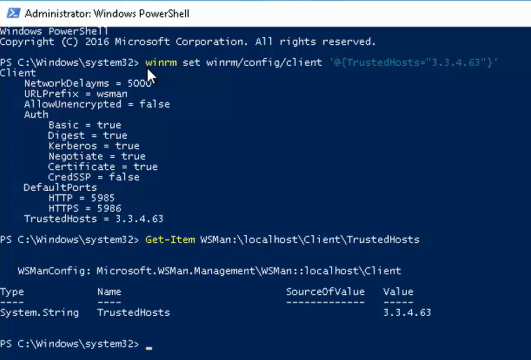
Run the following command:
C:\WIndows\system32\winrm set winrm/config/client ‘@{TrustedHosts="target server IP address"}’
-
To verify the configuration, run the following command:
C:\WIndows\system32\Get-Item WSMan:\localhost\Client\TrustedHosts
Example