Agent Initiated Monitoring (AIM)
Agent Initiated Monitoring (AIM) enables you to register your Agent ID with the recording system and have your phone or workspace associated with recordings. Using AIM, you can start and stop recording calls “on the fly.” You can also use AIM to annotate a recording that you start or one that you block from being recorded.
-
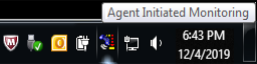
AIM is implemented through an application that uses a notification area icon for its user interface.
-
The system tray icon is on the right side of the Windows taskbar.
-
The notification area icon gives quick access to AIM.
-
You do not have to remember hot keys or search for an application on the desktop.