Get Webex authorization code for Cisco Webex Meetings
The Webex authorization code is required to get the security tokens that the Verint Recorder uses to access the Cisco Webex API.
Before you begin
Get the Client ID and OAuth Authorization URL that were issued when Verint was registered as an authorized app.
Procedure
-
Copy the OAuth Authorization URL in a text editor.
-
Change "set_state_here" to "new".
-
If not already done, set redirect_URI to a valid URL, such as
https://oauth.pstmn.io/v1/callback. -
Paste the URL in a web browser, and press Enter.
Example:
https://webexapis.com/v1/authorize?client_id=Cfefb62dc678f926b28baf15ebf50bf5cb24aaa9640fc3e8edf0abc9ad8501a3c&response_type=code&redirect_uri=https%3A%2F%2Foauth.pstmn.io%2Fv1%2Fcallback&scope=meeting%3admin_schedule_read%20meeting%3admin_recordings_read%20meeting%3admin_participants_read%20Identity%3tokens_read%20Identity%3tokens_write&state=documentation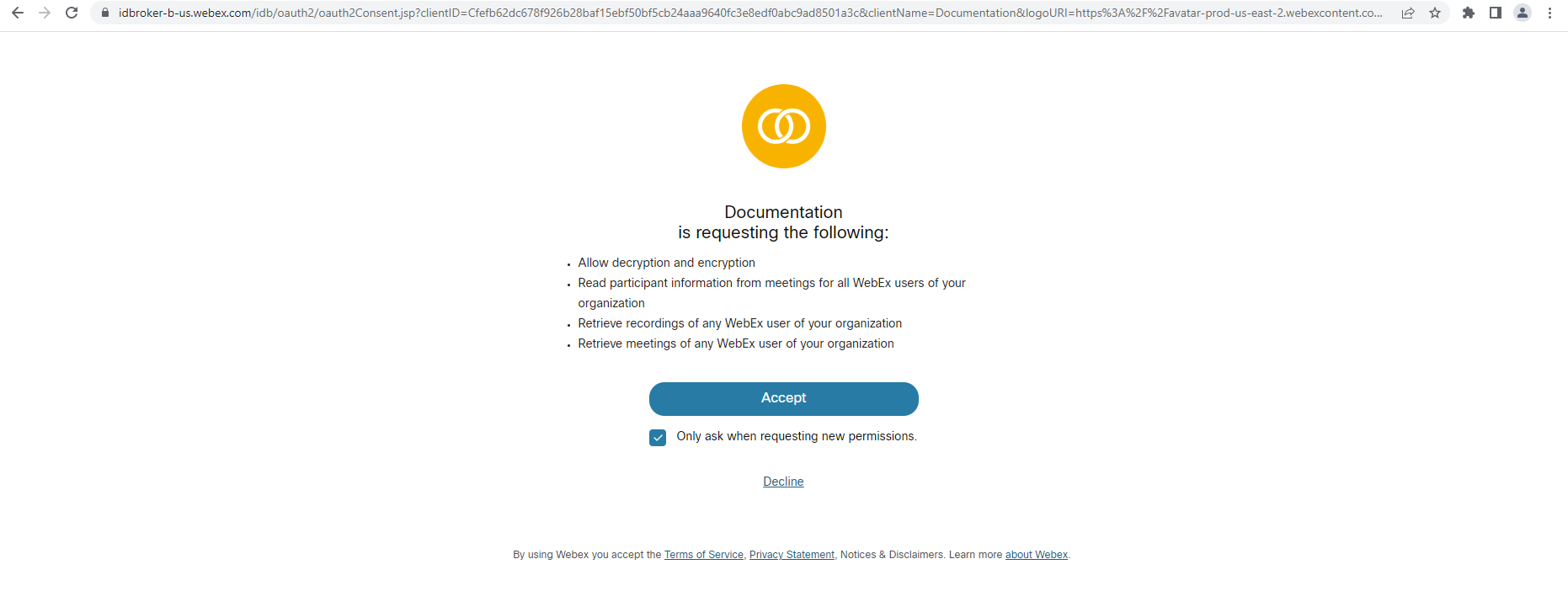
Result: The response contains the redirect_URI and an authorization code.
Example:
postman://app/oauth2/callback?code=ZTk4Y2EyMTYtZjljMS00OWIxLTgwZWEtNzVkZmIwODAxZThmZjcxYjlhNDItYjdh_PF84_c6f92e5d-cbc1-4fe3-8789-caf3b283bf4b&state=new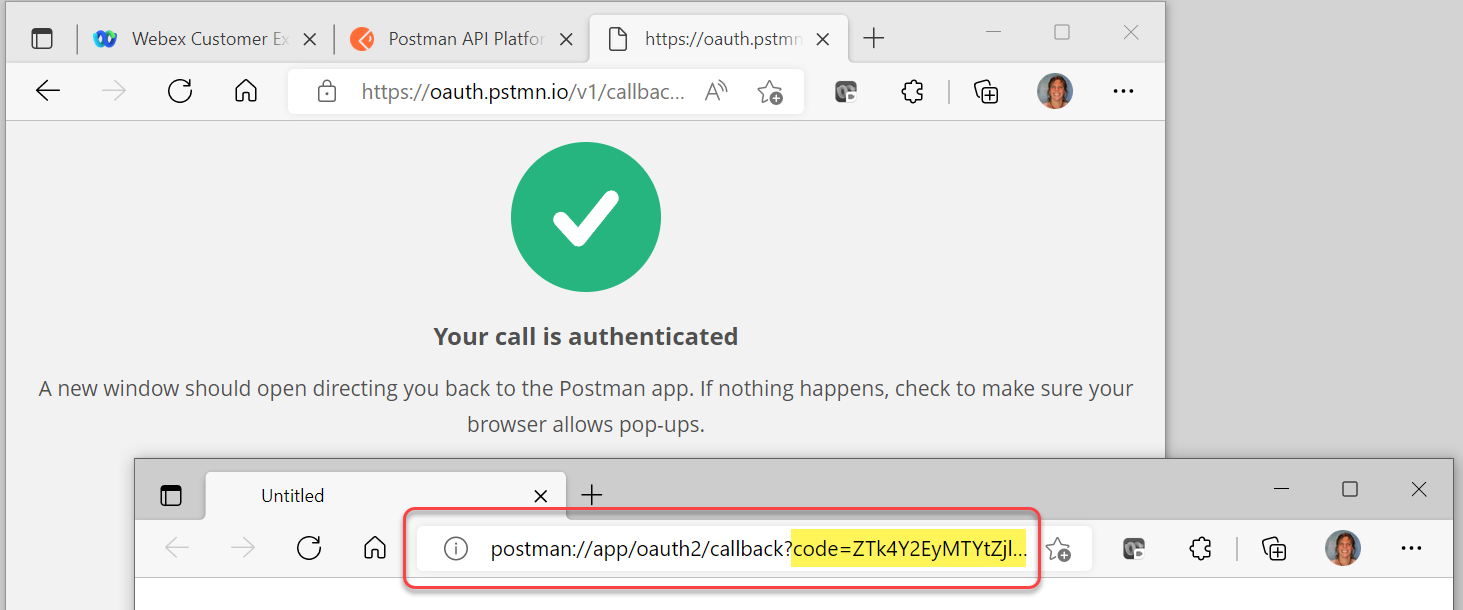
-
Copy the authorization code.
Example:
code=ZTk4Y2EyMTYtZjljMS00OWIxLTgwZWEtNzVkZmIwODAxZThmZjcxYjlhNDItYjdh_PF84_c6f92e5d-cbc1-4fe3-8789-caf3b283bf4b
What to do next
Create Webex security tokens for Cisco Webex Meetings
Register Verint as a Webex App for Cisco Webex Meetings