Create a Genesys Cloud CX data source
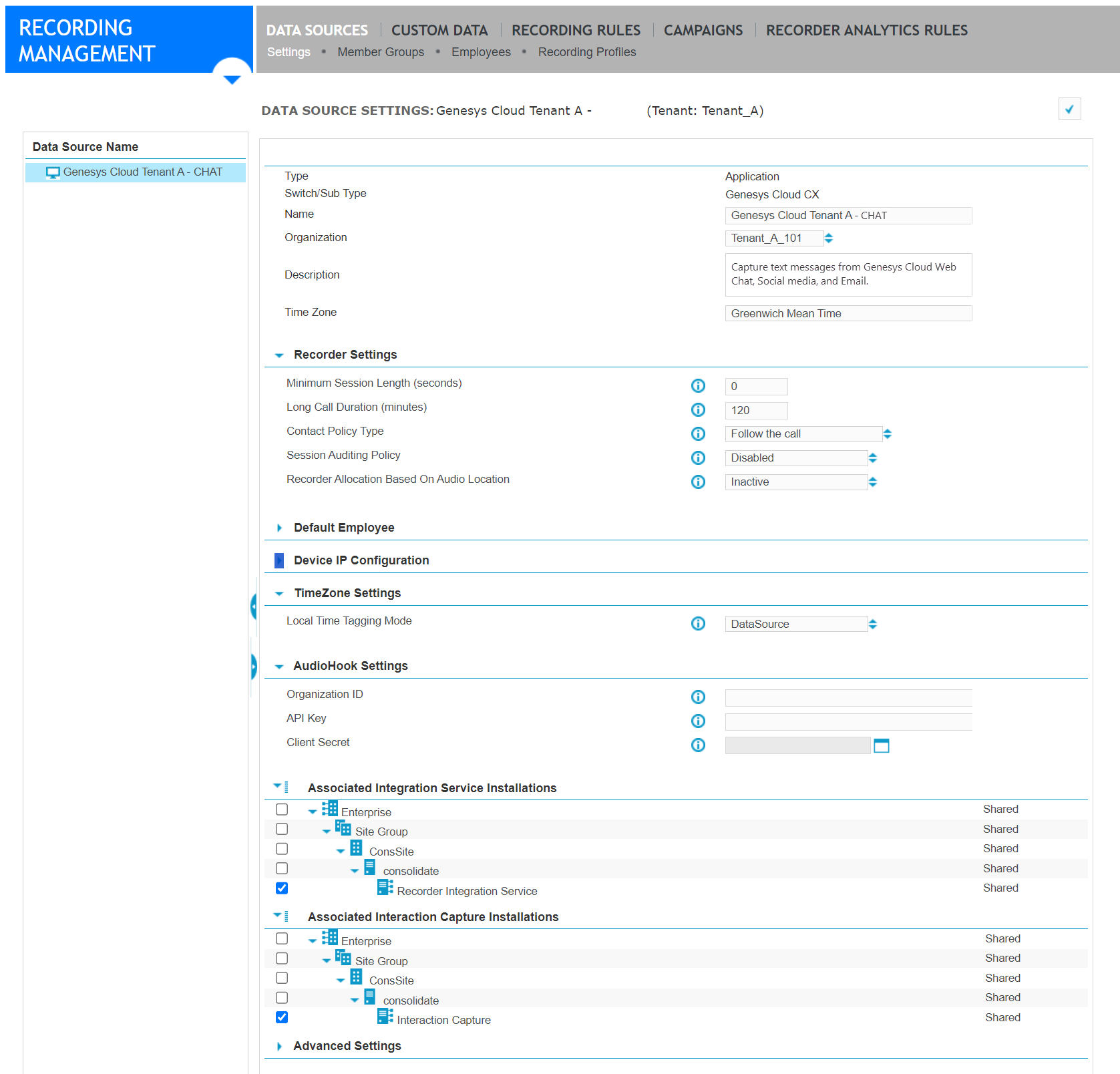
The Application data source for Genesys Cloud CX contains the connection settings. If a data source exists for audio capture, use it for text capture. In a multi-tenant environment, create a data source for each tenant.
The Service Provider is responsible for this task.
Before you begin
If not already done, create an organization for the cloud tenant. Organizations are created under Organization Management.
Procedure
-
In Enterprise Manager, go to Recording Management, under Data Source, click Capture Endpoints.
-
If a Genesys Cloud CX data source exists for this tenant, select it, and go to step 4.
-
To create a new data source, click Create Data Source, for Type, select Application, and for Switch/Sub Type, select Genesys Cloud CX.
-
Under Associated Interaction Capture Installations, select the primary and secondary servers that host the Interaction Capture server role.
-
Click Save.
What to do next
Add employees to the Genesys Cloud CX data source
Workflow: Configure text capture from Genesys Cloud CX
Recorder Configuration and Administration Guide