Change database credentials in the RSA KMS
The RSA KMS stores an account and password that is used to access the database. You must change this account and password to the domain account and password.
Procedure
-
Open Internet Explorer, and enter the following web address:
https://<hostname>:7443/KMS
-
Log on to the Data Protection Manager Administration Console as kmsadmin.
- Click Settings > Change Database Credentials.
- Enter the user name and password for the domain account.
- Click Update.
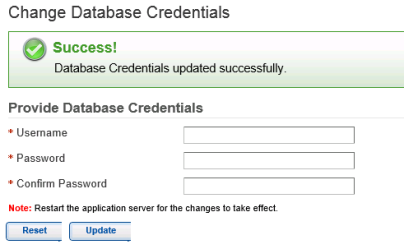
- Restart the RSA KMS.