Change the Apache Tomcat account
You must change the Apache Tomcat account and restart the Apache Tomcat service.
Procedure
-
Log on to the RSA KMS.
-
Go to Services.
-
Right-click the Apache Tomcat service, and click Properties.
-
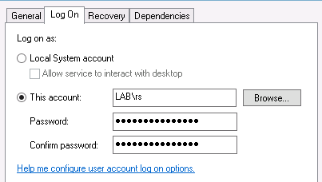
On the Apache Tomcat Properties window, click the Log On tab.
-
Under Log on as, click This account.
-
Enter the <domain>\<account> and password.
-
Click OK.
-
Start the Apache Tomcat service.