Set up custom health probes on the application gateway
For the Azure Application Gateway to monitor the health of your Teams recording bot VM, create a health probe for each VM. A bot responds to the probe on a custom URL.
Procedure
-
In the Application gateway configuration, select a VM.
-
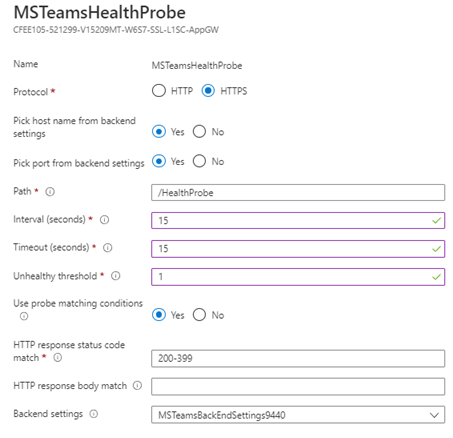
Define the probe with the following settings:
-
Protocol = HTTPS
-
Pick host name from backend HTTP settings = Yes
-
Path = /healthprobe
-
Interval (seconds) = 15
-
Timeout (seconds) = 15
-
Unhealthy timeout (seconds) = 1
-
Use probe matching conditions=Yes
You can reuse a setting for one of the signaling ports that you defined when creating the application gateway routing rules.
-