Performance widget
Use the Performance widget to view performance data based on the selected time period, employees, organizations, Objectives, and Key Performance Indicators (KPIs).

Use the KPI selector to view and select KPIs
The performance data related to your selections displays in the workspace in the right pane. There are four main workspaces from which you can view charts and drill to more data:
-
Performance Overview
-
Compare Performance
-
Heat Map
-
KPI View
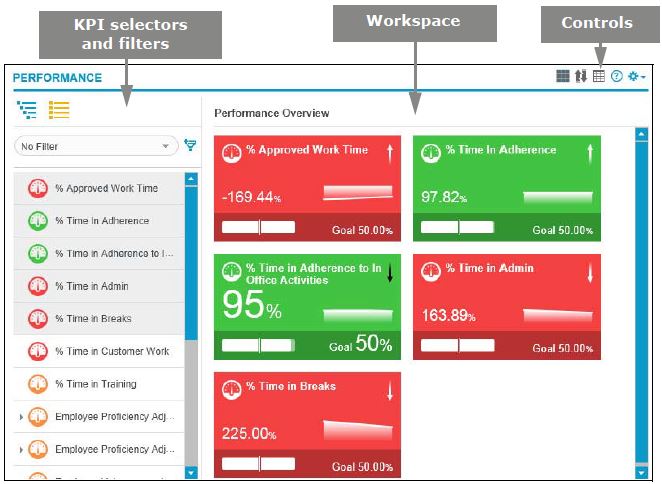
Use the selectors, filters, and controls to modify the performance data displayed in the workspace. Use the breadcrumbs displayed at the top of the page to go back a level in your view.