Create an adapter
-
Click General Setup > Integration Adapters > Settings.
-
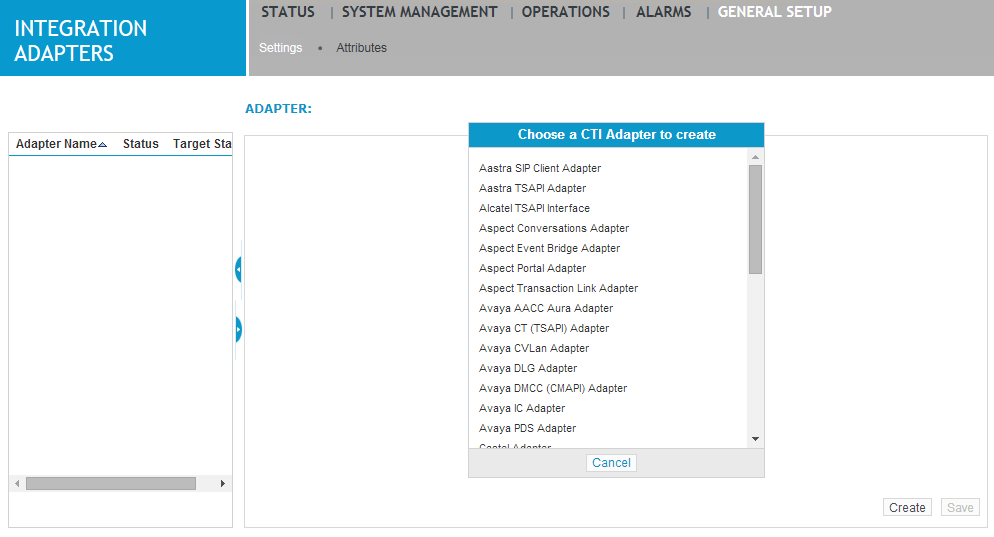
Click Create.
-
In the right-hand pane, under Choose a CTI Adapter to create, select the type of adapter that you are going to use.
-
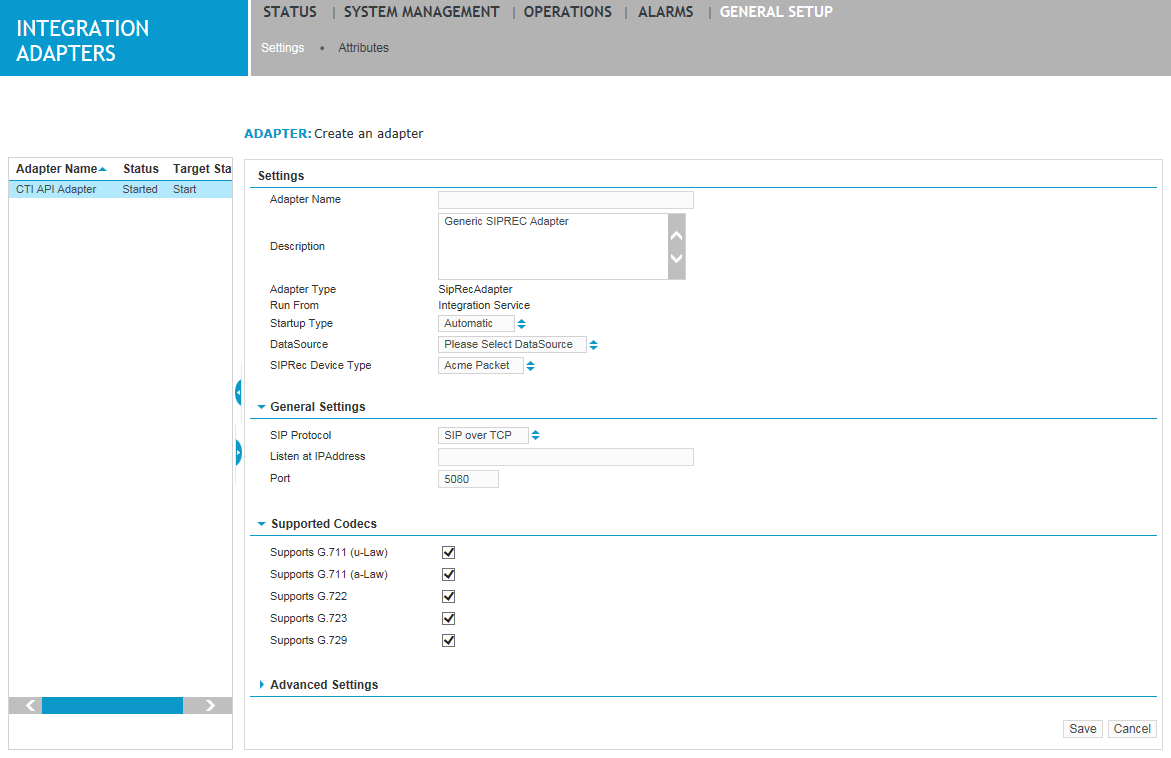
Specify settings for this adapter in the right-hand pane. The following settings apply to all adapters. For settings specific to the adapter being created, refer to the associated Integration Guide.
Field
Description
Adapter Name
Type a unique name for this adapter. Do not use any special characters or characters that truncate xml. This is a required field and is not case sensitive.
Description
Type a description of the adapter.
Adapter Type
This is a read-only field that specifies the adapter selected above.
Startup Type
Select a startup type: Automatic, Manual, or Disabled. This is a required field.
DataSource
Select the data source to which you want to associate this adapter.
-
Under Advanced Settings, use the Key and Value fields to enter any proprietary configuration for the Recorder Integration Service to use for this specific adapter.
-
Click Save. The adapter appears in the left-hand pane.