NIC settings for interception recording
For interception recording, use Windows to configure the NIC properties for all cards by means of the Networking tab of the adapter properties.
Procedure
-
Clear all protocols listed.
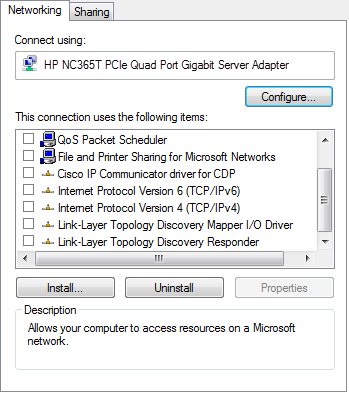
-
Click Configure, and then go to the Advanced tab.
-
Set the Transmit Buffers (Tx) to zero or the lowest value allowed.
-
Set the Receive Buffers (Rx) to the maximum value allowed.
-
-
Click OK to save your changes to the NIC settings.
-
Restart the server.
Configure capture settings for NICs