View Analyzer

IP Analyzer cannot run with IP Capture; therefore, you cannot have both the IP Recorder and IP Analyzer roles enabled on the same Recorder server.

Access Analyzer

  1. In Enterprise Manager, click System Management > Settings. Select a Recorder Server and then click Server Roles.

  2. Enable the IP Analyzer role and click Save.

  3. Launch Recorder Manager. This instance of Recorder Manager will now function as an IP Analyzer.

View Analyzer Status

  1. On the Analyzer server, in Recorder Manager, click Status > Status Summary.
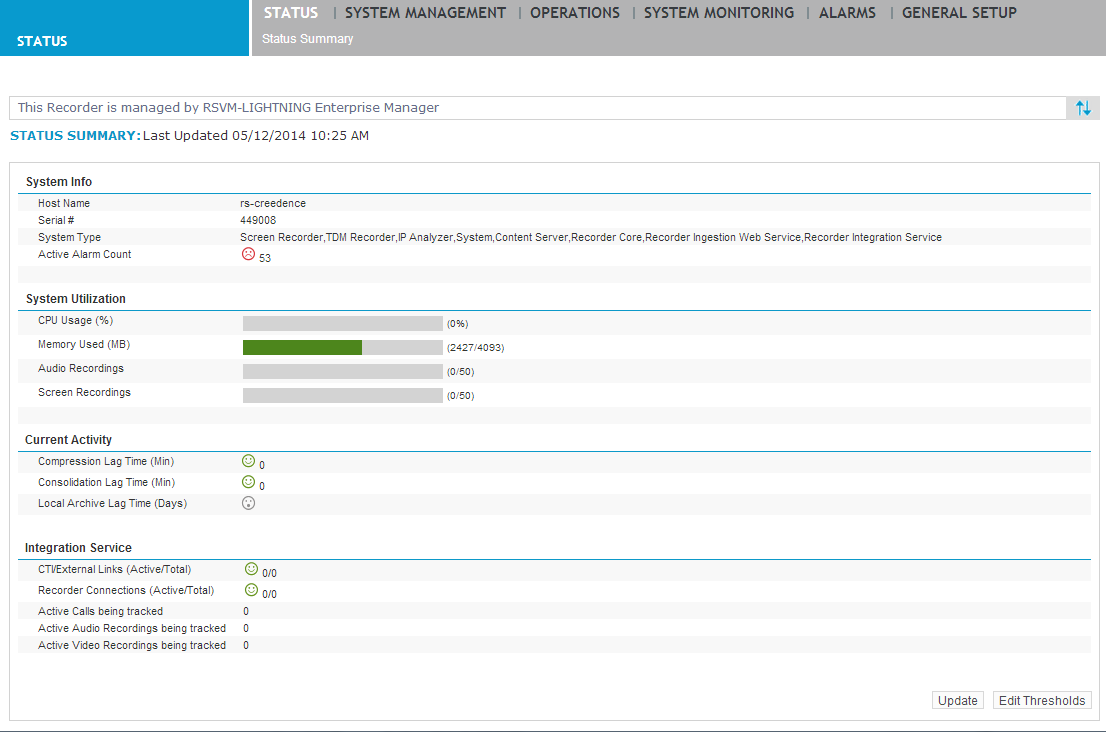
    Status Summary in Recorder Manager

View Analyzer Status

Manage Analyzer

Analyzer setup

Configure Call Control

View Call Control information

Create a Call Control Recorder Group

Edit a Call Control Recorder Group