Create initial organizational hierarchy
The first step in provisioning a new tenant is to create the organizational hierarchy and root groups for the tenant.
Procedure
-
Go to Organization Management. Under Organization Settings, create a new organization for the tenant.
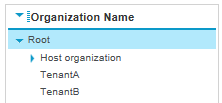
When multiple tenants are added, the organizational hierarchy should look similar to the following:
-
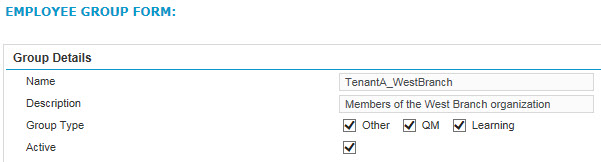
Under Group Setting, create a root group for the tenant with all the relevant group types (QM, Other and Learning), using the following syntax:
Tenant Name_Description of root group
Create an organization (Workforce Optimization User Management Guide)