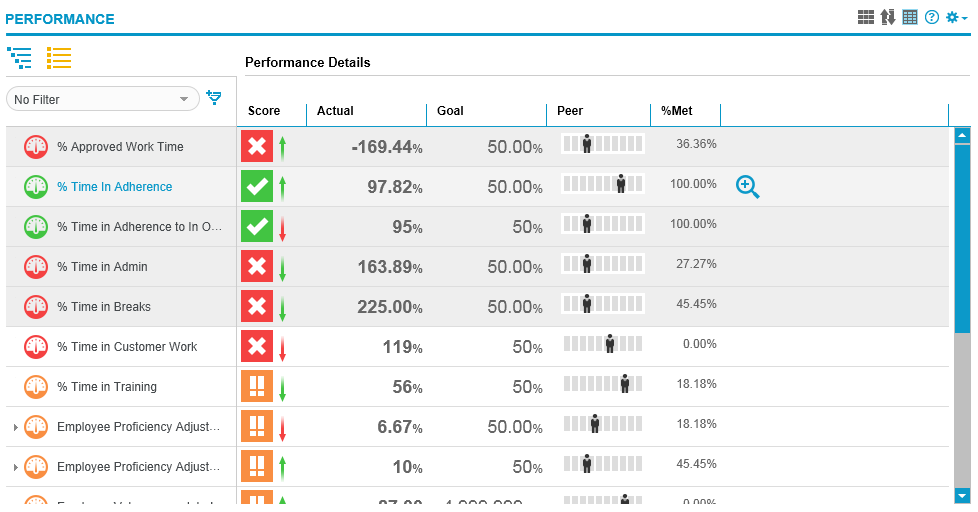
My Performance: Performance Details chart
Use Performance Details in the Performance Overview workspace on the Performance page to view details for all KPIs and EDMs that appear in the KPI selector on the left. Performance details displayed include score, actual, goal, peer, % Met, and an option to drill to KPI View. You must have privileges to view the data; columns for which you do not have privileges are not displayed.
By expanding/collapsing Objectives and EDTs in the KPI selector on the left, the corresponding rows in the Performance Details Chart also expand and collapse. Pointing to the Peer Value displays a tooltip with the peer value as a number based on the format (X/Y, %, and so on). Point to a specific row and click the magnifying glass icon in the last column or double-click anywhere on the row to drill to KPI View.
Related topics
My Performance: Performance Overview workspace