Run the Certificate Validation tool
Running the Certificate Validation Tool informs you when certificates are valid, when they are due to expire, and when they are invalid according to the requirements.
Successful results are listed in green while problematic results are listed in orange or red. Tool tips provide guidelines for resolving failed validations.
Procedure
-
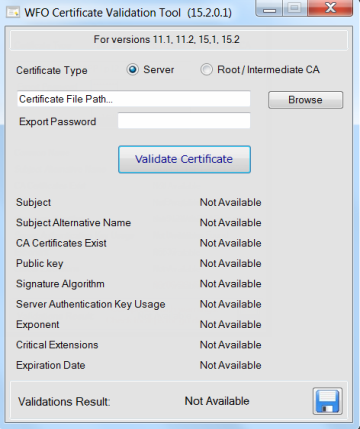
Run Certificate Validation Tool.exe.
-
Select the relevant Certificate Type.
-
Browse to the certificate location.
-
Enter the P12 file Export Password (for server certificates only).
-
Click Validate Certificate.
The details of the certificate are displayed and are validated. The validation results are as follows:.
-
Green: indicates that the parameter value is valid
-
Orange: indicates a warning of a validation issue
-
Red: indicates that the parameter value is not valid
-
-
View the Validations Result section.
-
When a Completed with errors or Completed with warnings result is achieved, review the tool tips of the failed validations. Resolve the error, and run the tool again.
-
When a Successful Validation result is achieved, click Save Report to export the results into an HTML report.
-