Search and replay Twilio interactions
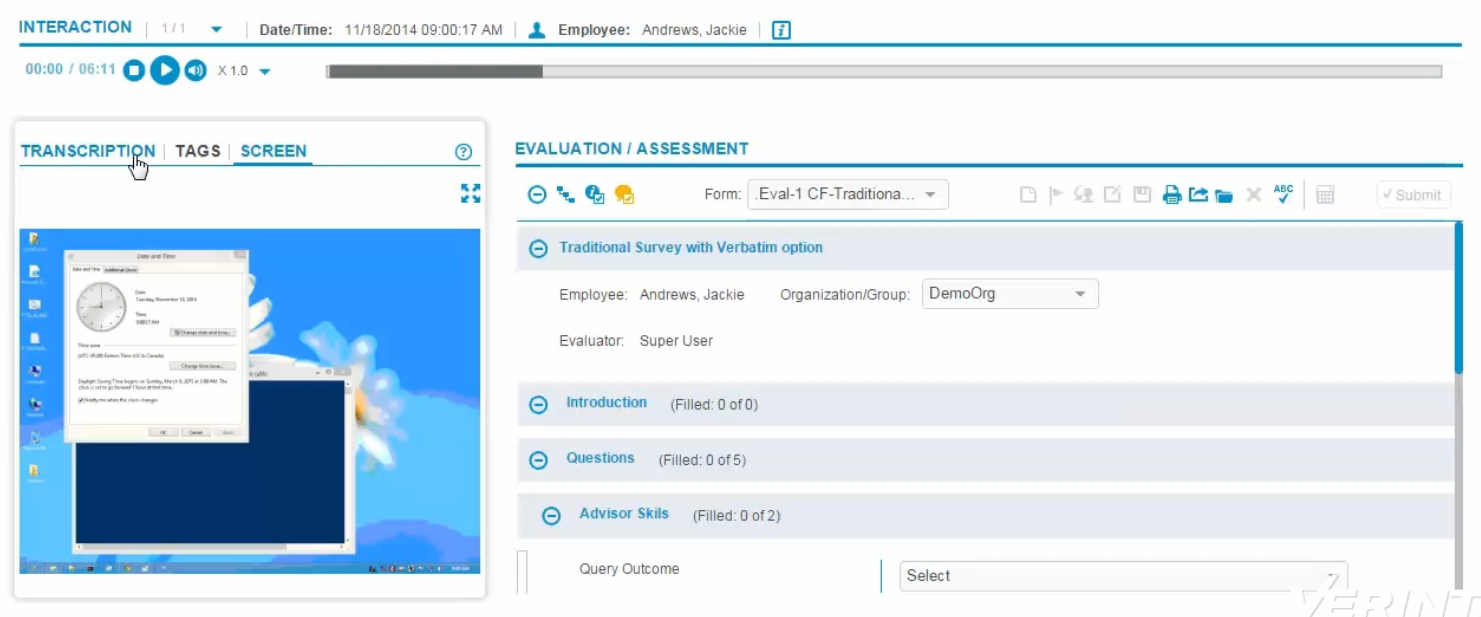
You can find details about stored Twilio captured interactions, and play captured audio and associated screens, using either the Risk Management or Interactions applications. While the audio is playing, you can also view the wave file or screens associated with the interaction.
Before you begin
Risk Management or Interactions must be installed and configured as part of your WFO installation. You can replay captured content using the plug-in player or HTML5 streaming.
Procedure
-
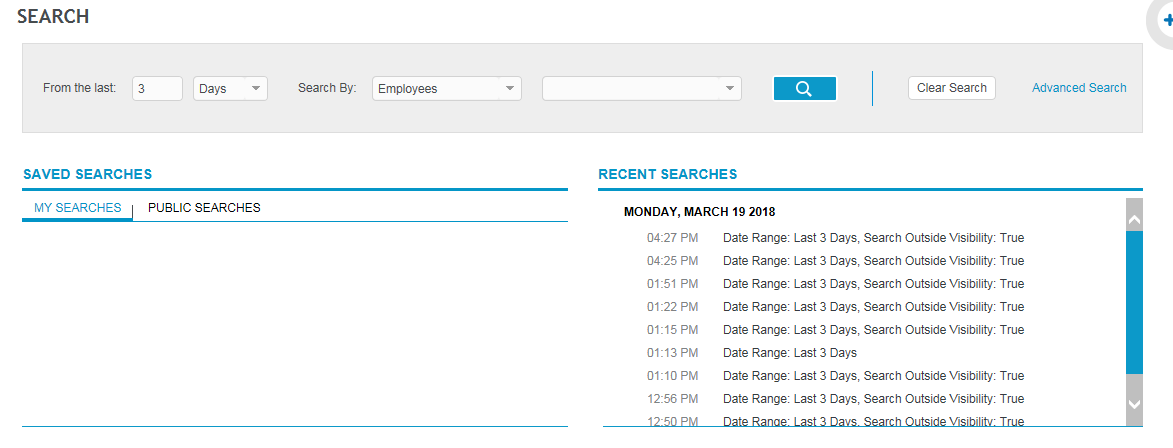
Click either Interactions > Search or Risk Management > Analyze > Search.
-
Set the search filter criteria, then click the button with the magnifying glass to search recorded interactions.
-
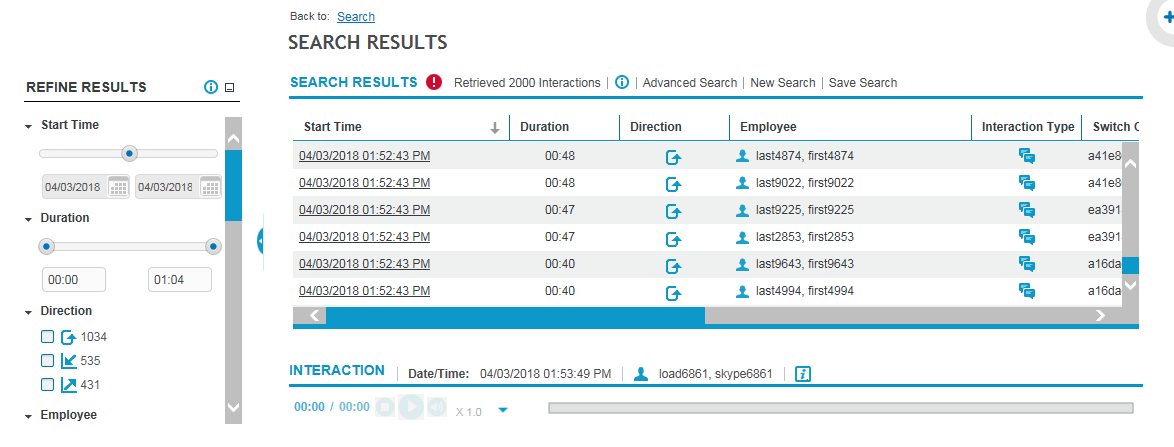
Under Search Results, double-click any entry to review it. The corresponding wave file plays in the Interaction Review pane.
You can also select an interaction, click the Go to Interaction icon and review the screens as you listen to the audio.
Risk Management Administration and User Guide
Interactions User Guide