Activity Cost (Unburdened)
Default Access Rights
This report can be run by the following roles: Manager
Overview
This report shows computed non-overtime hourly employee costs per activity over a specified time window. Cost is only computed for the portion of actual activities that actually intersects the specified time window.
This is different from other reports that might count all activities that start within the specified time window.
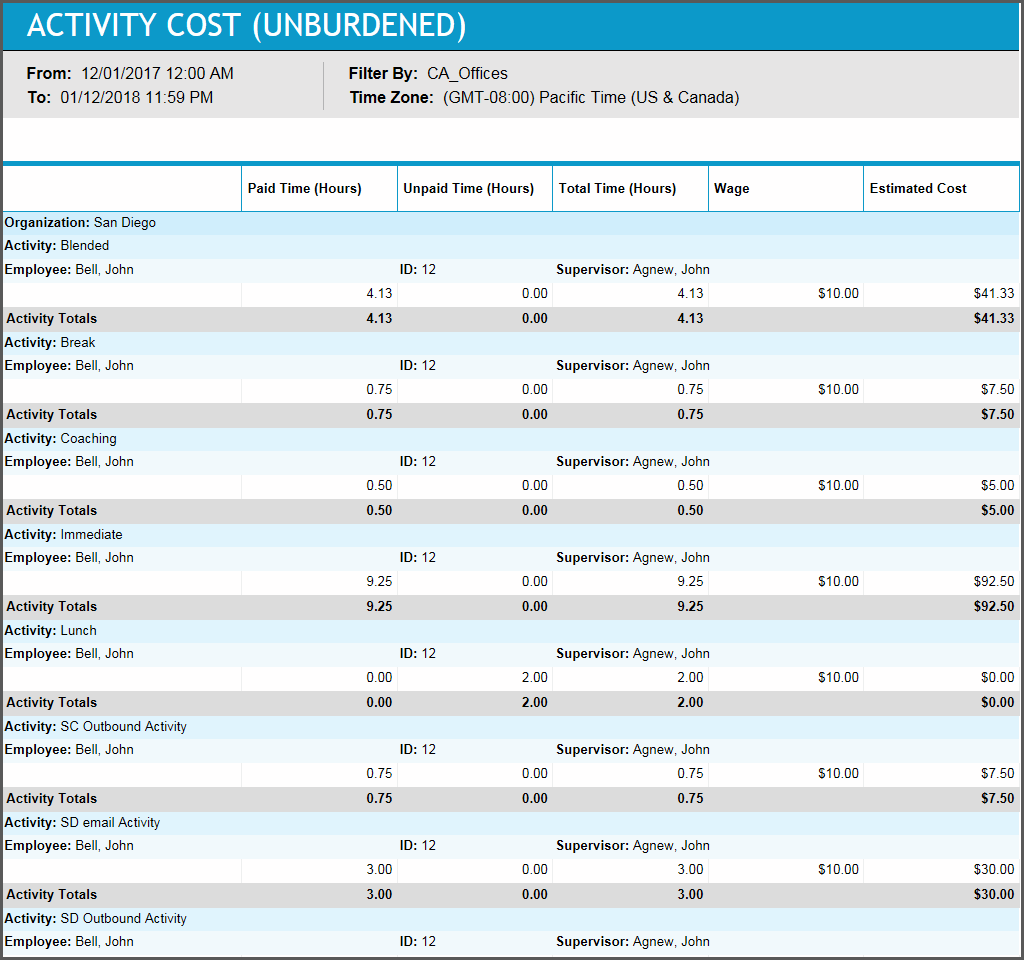
Management can use this report to review the amount of time that specific employees spend in each activity, including paid, unpaid, and total time, summarized over the selected period of time. Managers can run this report for a week or a month to see how each employee is being utilized over that time period, and determine whether particular employees are spending too much time in breaks, after-call work, or other activities, or if they are not spending enough time on the phones. If employee wage information is entered, the activity subtotals on the report can also be used to estimate the cost of specific activities.
Inputs
-
Employee Filter: Indicates the set of employees to report on.
-
Time Frame (reports that are in view time zone): These reports generally return a single aggregation for the specified time period or a set of records corresponding to all events that start in or intersect the time period.
-
Last <X> days (reports that are in view time zone): This mode returns <X> 24-hour periods starting from the current time.
-
From/To date (reports that are in view time zone): Aggregates data for intersecting portion. Only the portion of the events that intersect the specified time window are included in the aggregate. For reports that return events, all events that start in the specified time window are returned.
-
-
Time Zone: Indicates the time zone used for display.
Outputs
When the report has been run using the Last <x> days parameter, the report header’s From field shows the value of that parameter, such as From: Last 30 days. This is in contrast to previous releases, where the From field showed a date.
-
Organization: Name of the employee's organization
-
Activity: Activity being reported on.
-
Employee Name: The name of the employee being reported on.
-
Employee Number: The employee’s ID number.
-
Paid Time (Hours): Returns the paid hours for intersecting portion of time entries.
-
Unpaid Time (Hours): See paid time.
-
Total Time (Hours): See paid time.
-
Wage: The employee’s hourly wage.
-
Estimated Cost: The hourly wage multiplied by the paid time.