Profile Requirements
This report returns a complete listing of all shifts scheduled for staffing profiles in a campaign week. Additionally, it lists the total number of staffing profiles, the total amount of contact hours, paid hours, and the total cost of the staffing profiles given their entered hourly wage.
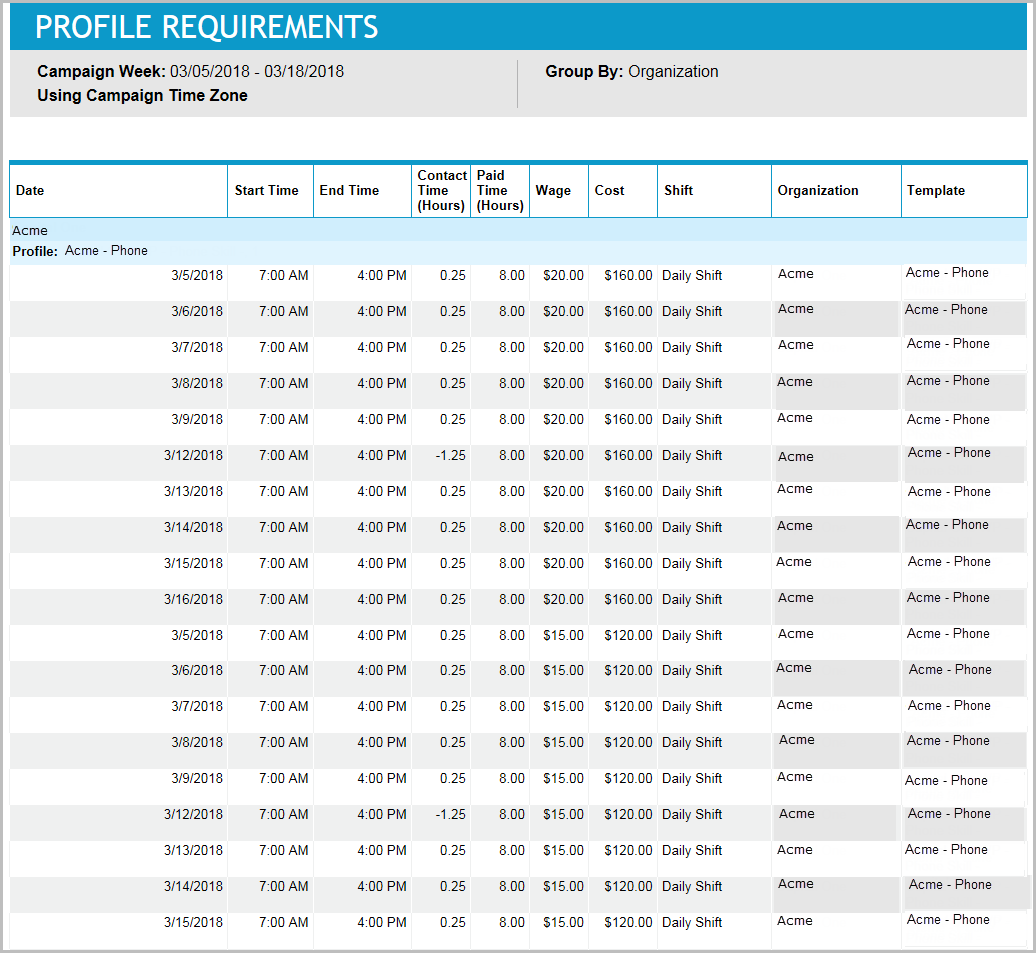
The results can be grouped by the organization of the staffing profiles, the employee template of the staffing profiles, or the shifts worked by the staffing profiles.
Grouped by Organization:
Grouped by Template:
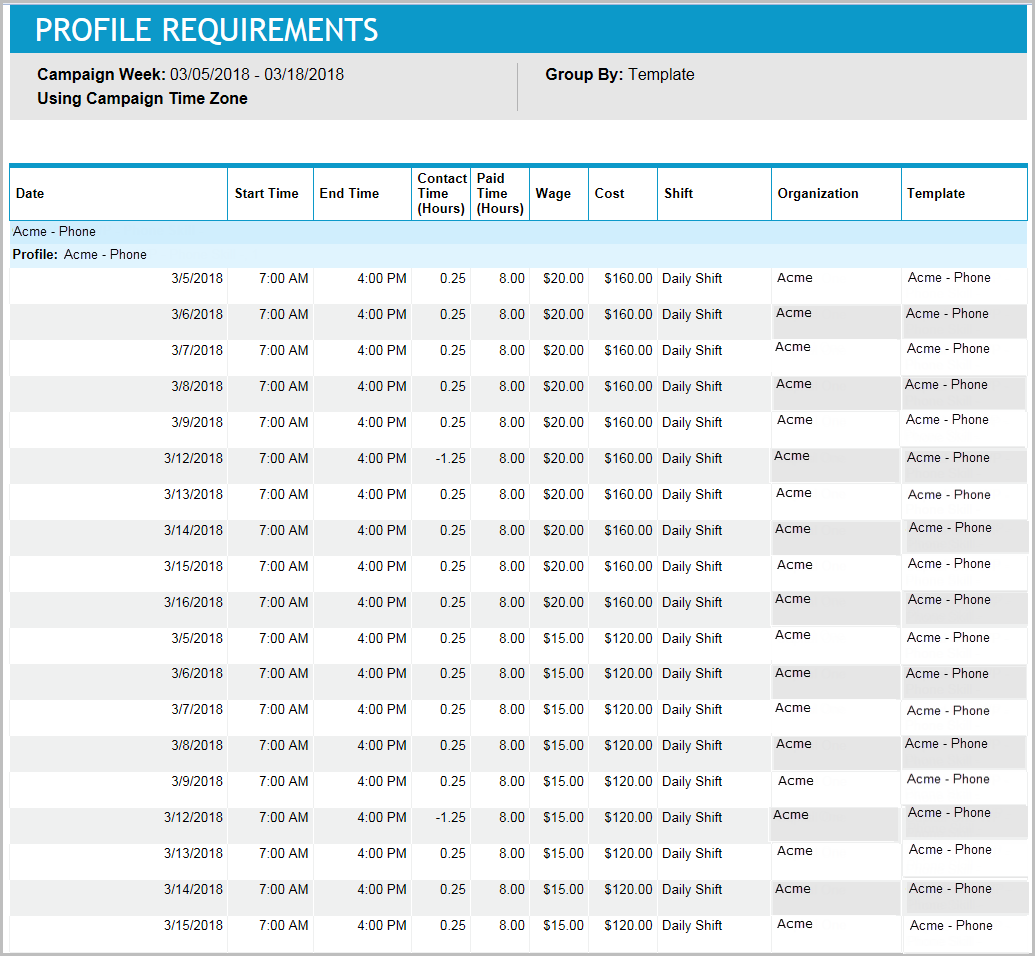
This report allows managers and human resource managers to know how many additional employees should be added or hired and what weekly schedules each of these new employees should work. This report also provides the cost associated with hiring these employees.
Default Access Rights
This report can be run by the following roles: Scheduler.
Inputs
-
Schedule Period: The campaign and time period that should be reported. The report can run on a full campaign week or a subset of the days in a campaign week.
-
Group By: Which property should appear in the report for grouping. Select Organization or Template.
Outputs
-
Campaign Week: The Campaign Week that is reported on.
-
Profile Name: The name of the staffing profile. Typically the name will be the name of the employee template and a number.
-
Date: The date being reported.
-
Start Time: The time the staffing profile's shift begins.
-
End Time: The time the staffing profile's shift ends.
-
Contact Time (Hours): The amount of time during the shift that the staffing profile is working on an activity associated with contacts such as incoming phone calls.
-
Paid Time (Hours): The amount of time during the shift where the staffing profile is paid. Unpaid breaks are subtracted from the total time to compute this.
-
Wage: The hourly wage for the staffing profile.
-
Cost: The cost is equivalent to the paid time multiplied by the wage.
-
Shift: The shift that was scheduled for the staffing profile.
-
Organization: The organization where the staffing profile was defined.
-
Template: The employee template from which the staffing profile was created.
In the Summary section:
-
Number of Profiles to be Hired: The total number of the reporting period.
-
Total Contact Hours Scheduled: The sum of the contact time.
-
Total Paid Hours Scheduled: The sum of the paid time.
-
Total Cost: The sum of the cost.