Time Off Allocations by Time
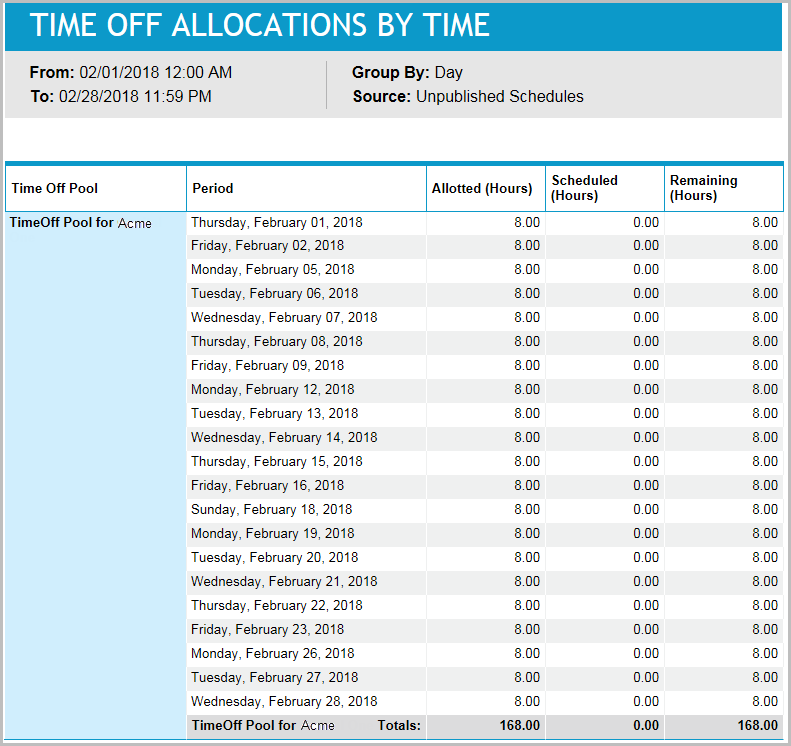
This report provides the number of time-off hours allotted, scheduled, and remaining, for each time-off pool and time period.
Default Access Rights
This report can be run by the following roles: Manager, Scheduler.
Inputs
-
Time Off Pool: Which time-off pools should be reported on.
-
Group By: Which time resolution should appear in the report for grouping. Select Day, Week, Month or Year.
-
Time Frame:
-
Last <X> days (reports that are in view time zone): This mode returns <X> 24-hour periods starting from current time.
-
From/To date (reports that are in view time zone): Aggregates data for intersecting portion. Only the portion of the events that intersect the specified time window are included in the aggregate. For reports that return events, all events that start in the specified time window are returned.
-
-
Published: Which activities should be reported on: published or unpublished activities (that is, activities which are part of a published or unpublished schedule).
Outputs
-
Source: Published Schedules if the Published input parameter check box was checked. Unpublished Schedules if it was unchecked.
-
The time-off pool that is reported on.
-
The allocations defined for this organization if the reported organization is also the organization on which the time off activities were allocated. Otherwise, if the reported organization is not also the organization on which the time off activities were allocated, the allocations defined for all the root organizations.
-
Period: The period being reported on.
-
Allocated (Hours): The amount of time off that was allocated for all the agents in the time-off pool, for each time resolution group.
-
Scheduled (Hours): The amount of time off that was scheduled for all the agents in the time-off pool, for each time resolution group.
-
Remaining (Hours): The amount of time off that was allocated but not scheduled for all the agents in the time-off pool, for each time resolution group.
-
Total: Summation for Allocated, Scheduled, and Remaining for the time-off pool for all periods.