Utilization
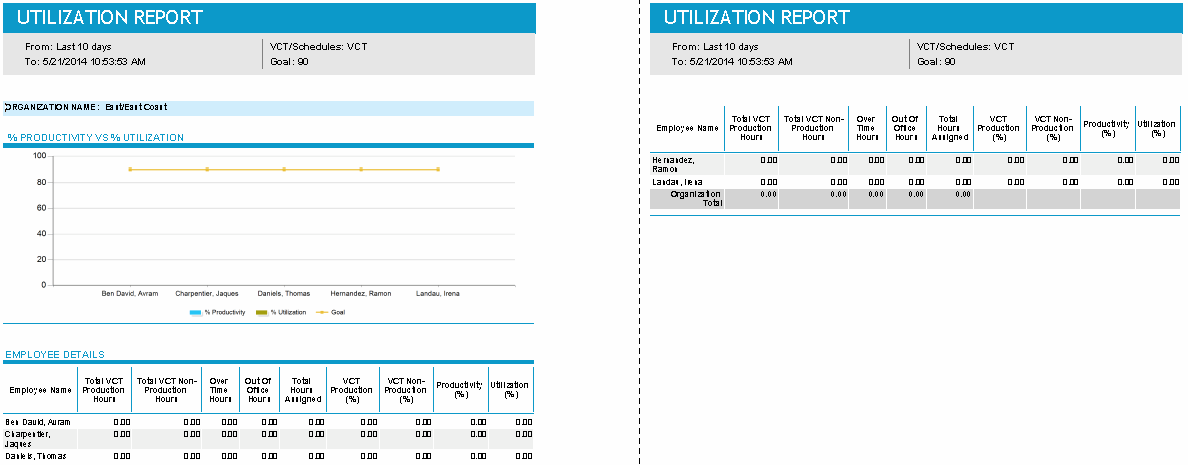
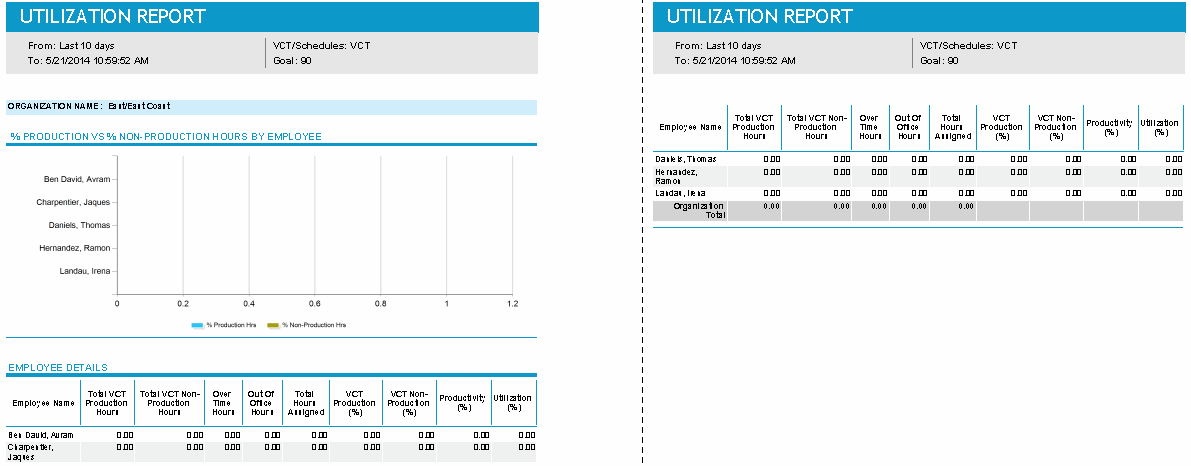
This report compares an organization’s productivity against its utilization, or its productivity against its non-productivity.
It allows you to measure employees’ performance and to see the work that employees are scheduled to do, and out-of-office and overtime hours.
Default Access Rights
This report can be run by the following roles: Administrator, Manager, Scheduler.
Inputs
-
Time Frame: Time span of the report.
-
Employee Filter: Allows you to select or edit existing employee filters at the organization level, or create new ones.
-
Type: Whether to report on VCT events or schedules.
-
Show Graph: You have a choice of displaying no graphs with the report (No Graph), or of displaying a graph for Productivity Vs Utilization (see the previous graphic) or Productivity Vs Non-Production (see the following graphic).
-
Goal: Allows you to set a goal line in the graphs.
Outputs
The columns output in the report vary, depending on whether you selected to report on VCT events or schedules.
VCT Event
-
Employee Name: The names of the employees selected through the employee filter.
-
Total VCT Production Hours: The work completed (CHECKINS) for the VCT queues of any media other than projects.
-
Total VCT Non-Production Hours: The work completed (CHECKINS) for VCT queues of project media.
-
Overtime: Hours scheduled for overtime activity.
-
Out of Office Hours: The number of hours an employee is scheduled for an out-of-office activity based on their work day, not based on a 24 hour day.
-
Total Hours Assigned: Scheduled activities with the activity type Assigned Work activity type (excluding Unavailability and Time Off).
-
VCT Production (%):Total Production Hours/Total Hours Worked.
-
VCT Non-Production (%): Total Non-Production Hours/Total Hours Worked.
-
Productivity (%): Total Production + Non-Production Hours/Total Hours Worked.
-
Utilization (%): Total Production + Non-Production Hours/Total Scheduled Time (all paid activities).
-
Organization Total: Totals for the columns Total VCT Production Hours, Total VCT Non-Production Hours, Overtime, Out of Office Hours, and Total Hours Assigned.
Schedules
-
Employee Name: The names of the employees selected through the employee filter.
-
Total Scheduled Production Hours: Activities that are of any media other than projects.
-
Total Scheduled Non-Production Hours: Activities that are "calendar events," excluding Unavailability and Time Off. This assumes project activities are always non-production work.
-
Overtime: Hours scheduled for overtime activity.
-
Out of Office Hours: The number of hours an employee is scheduled for an out-of-office activity based on their work day, not based on a 24 hour day.
-
Total Hours Assigned: Scheduled activities with the activity type Assigned Work activity type (excluding Unavailability and Time Off).
-
Scheduled Production (%):Total Production Hours/Total Hours Worked.
-
Scheduled Non-Production (%): Total Non-Production Hours/Total Hours Worked.
-
Productivity (%): Total Production + Non-Production Hours/Total Hours Worked.
-
Utilization (%): Total Production + Non-Production Hours/Total Scheduled Time (all paid activities).
-
Organization Total: Totals for the columns Total Scheduled Production Hours, Total Scheduled Non-Production Hours, Overtime, Out of Office Hours, and Total Hours Assigned.