VCT Events
This report is an audit report used by managers and supervisors to validate VCT Events data by employee or work queue at their respective organization.
This VCT data, which is used to measure employee productivity and volume generation, is entered into the system either through the Volumes page of the Tasks section of the Tracking module, or through the Operations - Event File Import and Transform adapter.
The report tallies the four VCT Event types for all work queues in an organization within a given time period:
-
Check-in
The report displays only the Check-ins done, based on the employee filter and the date range.
-
Check-out
The report displays only the Check-outs done, based on the employee filter and the date range.
-
Work-in-Progress
The report displays all the Work-in-Progress, based on the date filter and employee filter.
-
Arrivals
The report displays all the arrivals based on the date filter, but excludes the employee filter, even if the employee filter is selected.
You can also show tallies for all four event types:
-
All
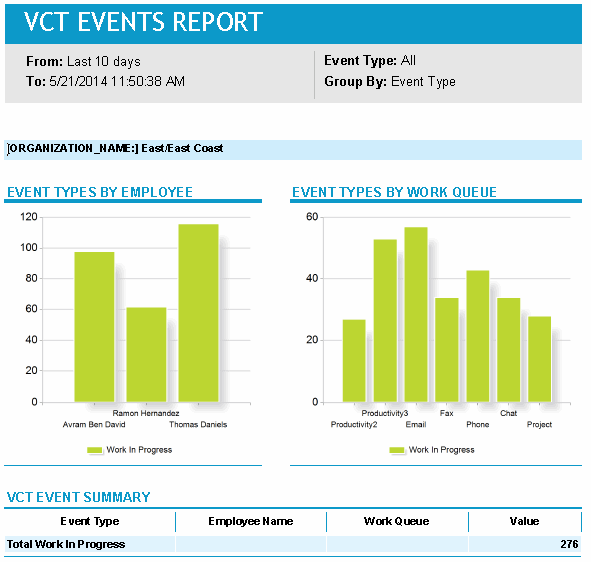
The report displays all the VCT event types for the employee filter and for the selected date range. It is recommended to select Event Type in the Group by filter, when Event Type is All.
The data can be viewed at a summary or detail level, and grouped by:
-
Employee
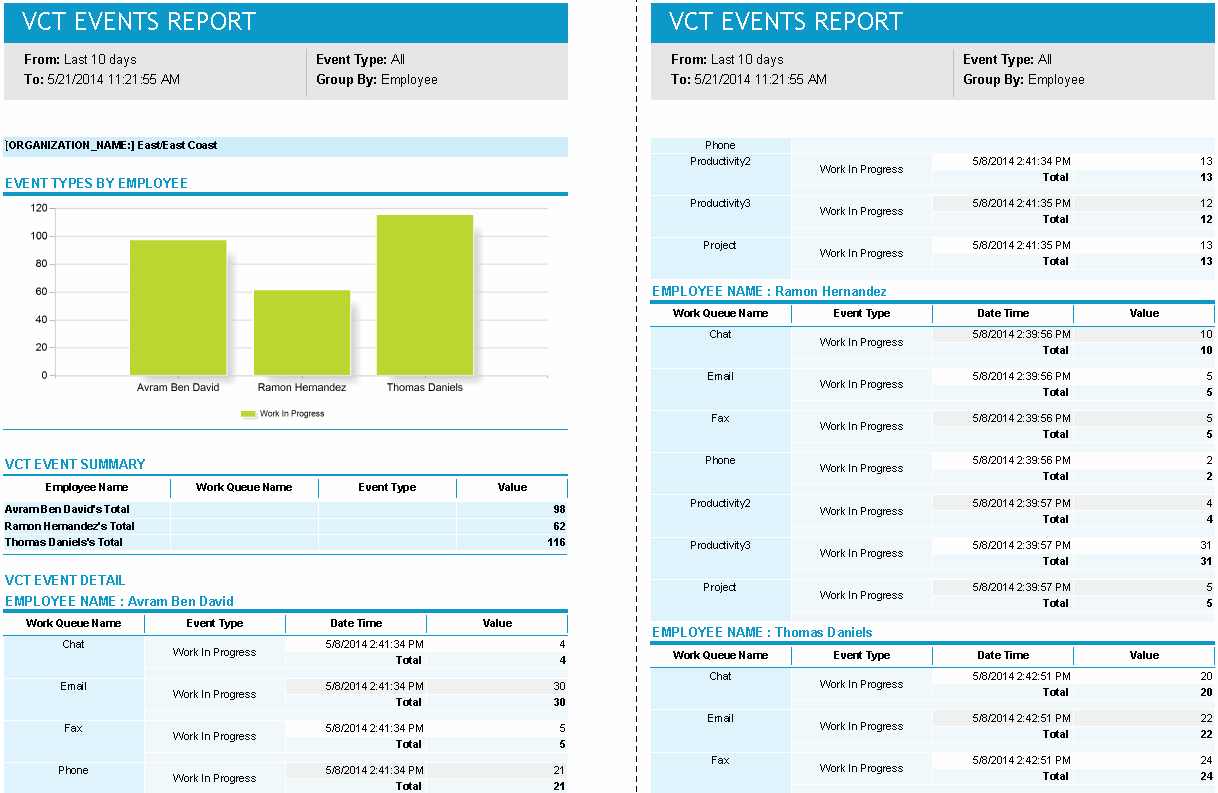
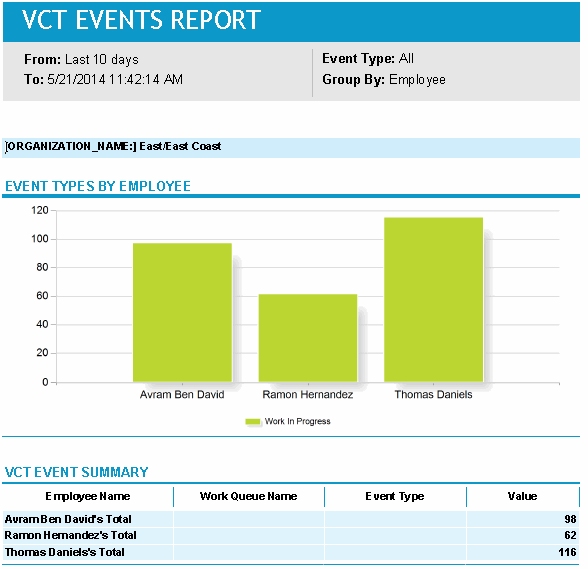
The report displays all the details based on all the other filters, but grouping is based on employees. Employee Name is the first column in the summary table. The event details table is broken down by employee name, that is, individual events data is displayed in subsections by Employee Name.
-
Work Queue
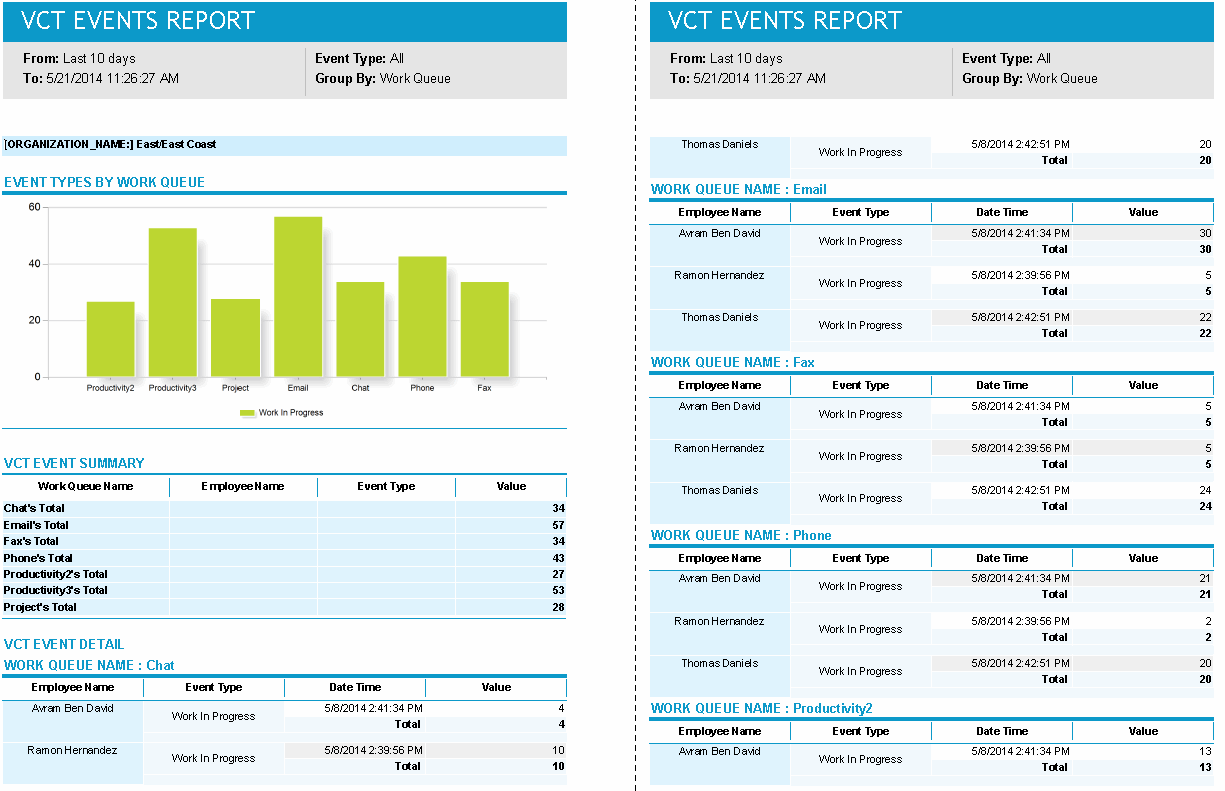
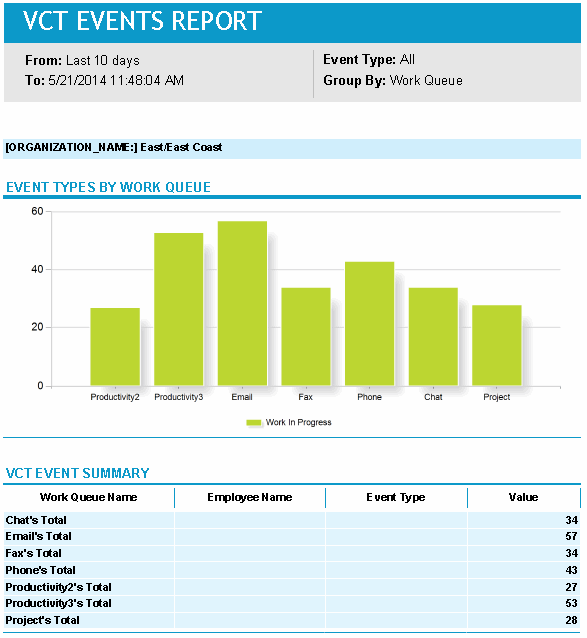
The report displays all the details based on all the other filters, but grouping is based on work queue. Work Queue Name is the first column in the summary table. The event details table is broken down by work queue name, that is, individual VCT Events data are displayed in subsections by Work Queue Name.
-
Event Type
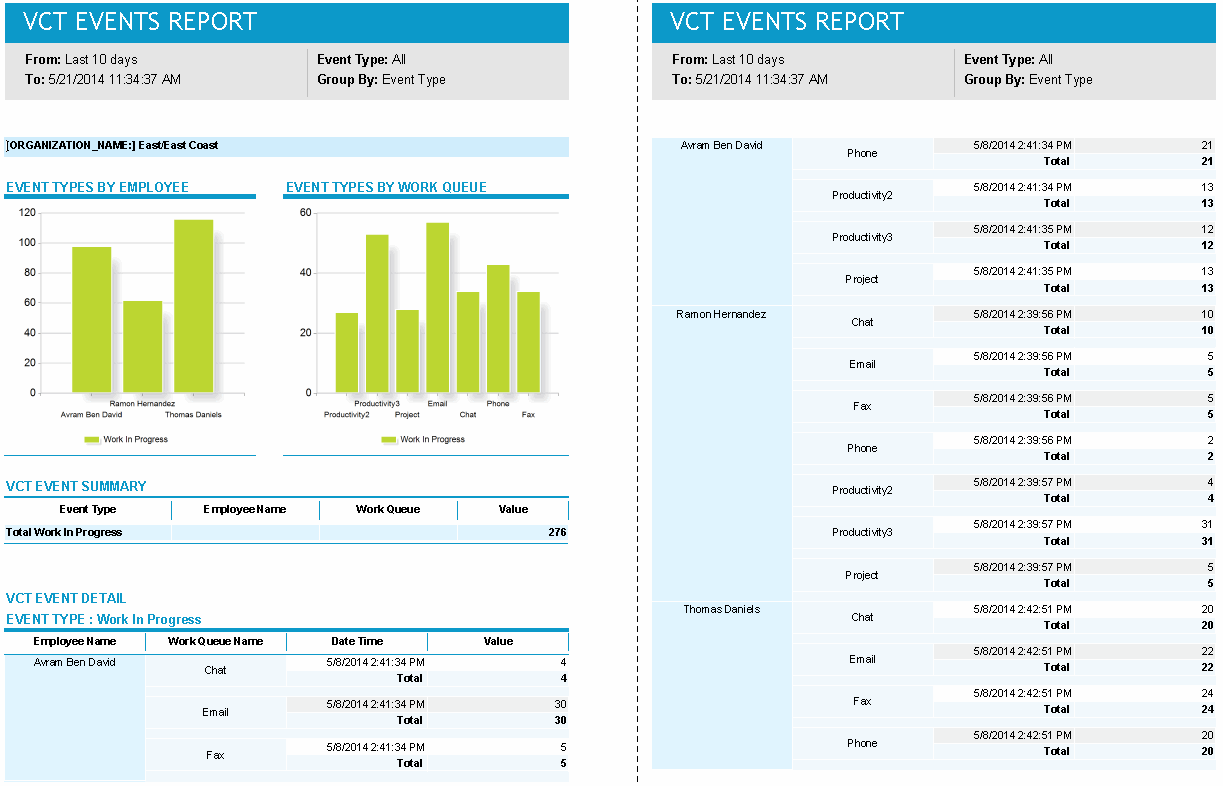
The report displays all the details based on all the other filters, but grouping is based on event type. Event Type is the first column in the summary table. The event details table is broken down by event type name, that is, individual events data is displayed in subsections by Event Type.
The following graphics show highlights from the detailed and summary reports, grouped by employee, work queue, and event type.
Detailed Report, Grouped by Employee:
Detailed Report, Grouped by Work Queue:
Detailed Report, Grouped by Event Type:
Summary Report, Grouped by Employee:
Summary Report, Grouped by Queue:
Summary Report, Grouped by Event Type:
Default Access Rights
This report can be run by the following roles: Administrator, Manager, Scheduler.
Inputs
-
Time Frame: Time span of the report.
-
Employee Filter: Allows you to select or edit existing employee filters at the organization level, or create new ones.
-
Display Mode:
-
Detailed: Shows employee data in detail.
-
Summary: Shows each employee's summary information.
-
-
Event Type: Information can be displayed for the following event types:
-
All
-
Arrival
-
Check-Out
-
Work In Progress
-
Check-In
-
-
Group By: Information can be grouped by employee, work queue, or event type.
Output
The report consists of two tables:
-
Summary information
-
Detailed information
Summary Information
-
Employee Name/Work Queue Name/ Event Type: The Employee name, Work Queue name, or Event Type name, depending on the setting of the Group By parameter.
-
Event Type: One of the following events:
-
Check-in
-
Check-out
-
Work-in-Progress
-
Arrivals
-
-
Value: Shows the VCT Event Type total at the aggregate level.
Detailed Information
The detailed information table has the same columns as the Summary Table, but displays each and every VCT event for a specific work queue within the range of the report period. This table has an additional column called Date Time, which shows the timestamp of the individual VCT event.