WIT Aging Chart
The WIT Aging Chart report shows work items or WIT items classified by age brackets in hours or days or numerical totals, and further breaks down each age bracket by employee, organization, queue or a combination thereof.
This report is designed primarily for use in dashboards.
There are three choices of graph to include in the report:
-
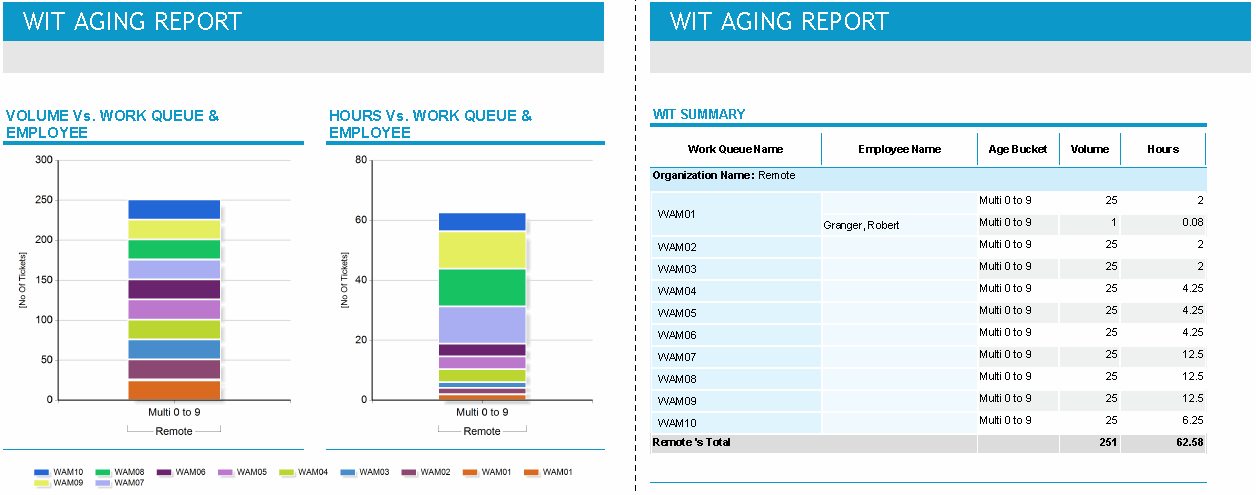
Employee Vs Work Queue By Age Bucket
-
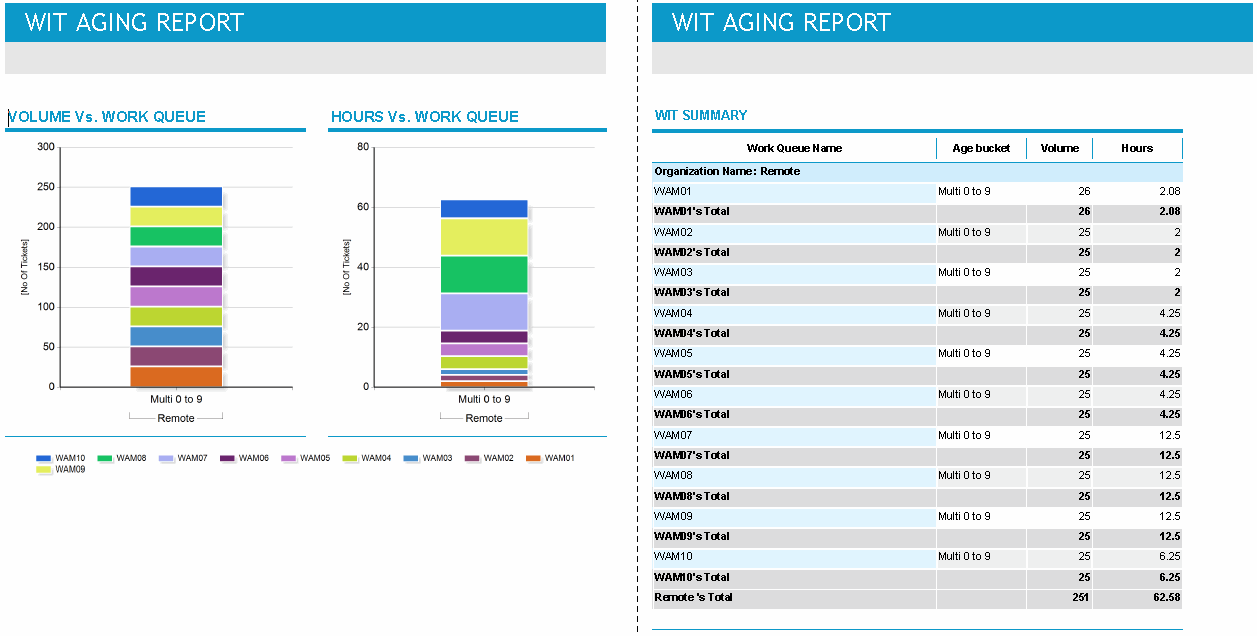
Work Queue By Age Bucket
-
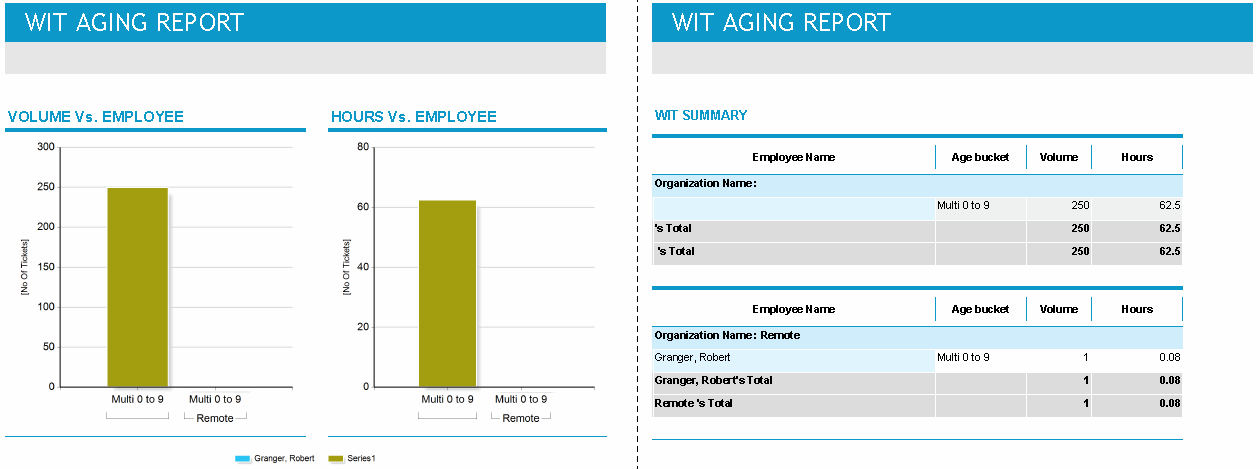
Employee By Age Bucket
Employee Vs Work Queue By Age Bucket:
Work Queue By Age Bucket:
Employee By Age Bucket:
Default Access Rights
This report can be run by the following roles: Administrator, Manager, Scheduler, Supervisor.
Inputs
-
WIT Named Filter: The filter used to focus on subsets of data in the WIT Aging Chart report that are relevant to you.
-
WIT View: A saved set of attributes (such as employee ID, work queue, status of the item) you want to see in the report.
-
Show Graph: The graphs you want included in the report:
-
Employee Vs Work Queue By Age Bucket
-
Work Queue By Age Bucket
-
Employee By Age Bucket
-
Outputs
-
Graphs: The graphs shown differ depending on the setting of the Show Graphs parameter:
-
Employee Vs Work Queue By Age Bucket: Volume Vs Work Queue & Employee, Hours Vs Work Queue & Employee
-
Work Queue By Age Bucket: Volume Vs Work Queue, Hours Vs Work Queue
-
Employee By Age Bucket: Volume Vs Work Queue, Hours Vs Work Queue
-
-
WIT Summary table: Includes such items as Work Queue Name, Employee Name, Age Bucket, Volume, Hours, Organization.