WIT Aging vs. Deadline Goal
This report displays the WIT aging analytic data computed by the WIT Aging Analysis Adapter.
Default Access Rights
This report can be run by the following roles: Administrator, Manager, Scheduler.
Inputs
-
WIT Named Filter: Allows you to select an active WIT filter, create such a filter, or edit an existing filter.
-
Group By: Allows you to select whether the report should be grouped by one of the following: WIT Status; Deadline Goal Status; Employee; or Work Queue.
-
Display Mode: Specifies whether the report should be shown in detail or summary.
Outputs
-
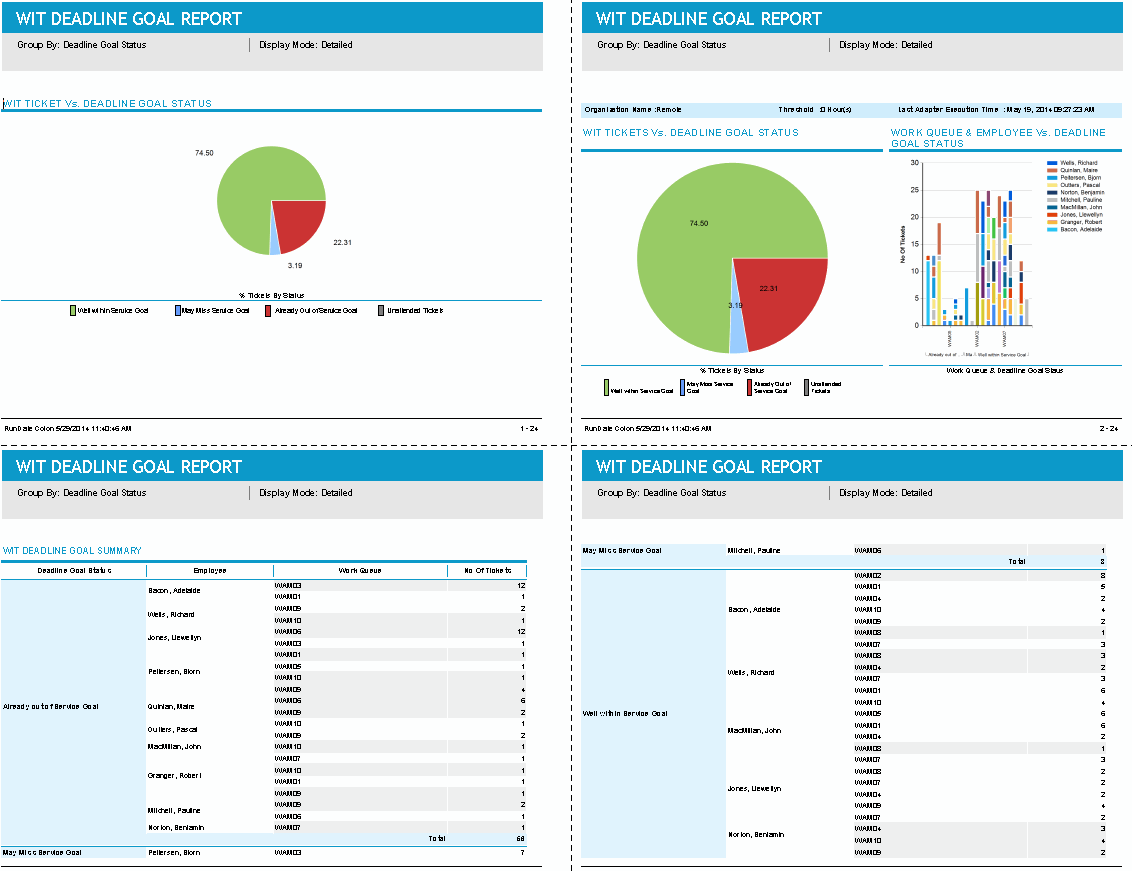
Pie chart: A color-coded pie chart that depicts the distribution of the number of WIT items in the following Deadline Goal Status categories:
-
Well within Service Goal
-
May Miss Service Goal
-
Already out of Service Goal
-
Unattended Work Items
-
-
The organization level deadline goal details with a pie chart and employee level and work queue level work item count against the deadline goal status.
-
A summary of the deadline goal status. The summary table grouping is decided based on the Group By parameter, and shows the deadline goal status, employee, work queue, and number of work items against the work queue.
-
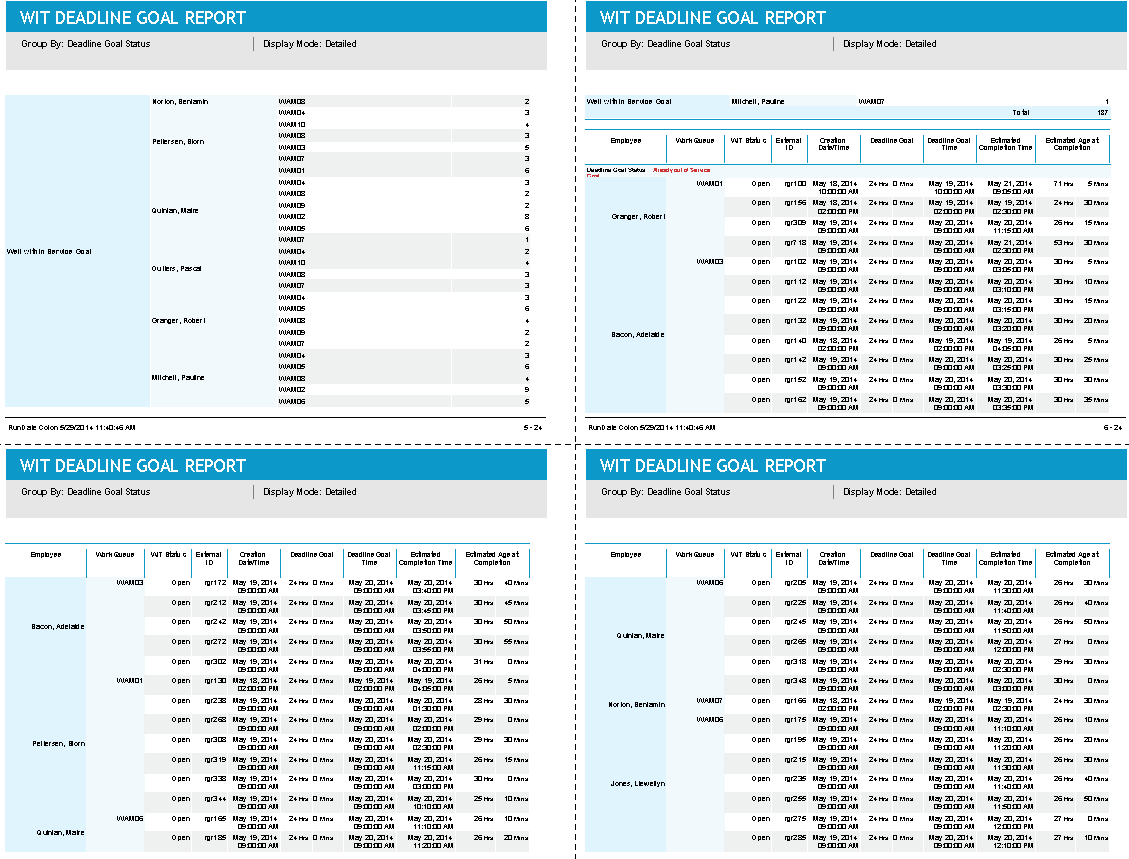
In Detailed display mode, the details table is also grouped based on the Group By parameter. In the details table, you can see WIT Status, External ID, Creation Date, Deadline goal time in hours and minutes, Estimated Completion date, Estimated Age at Completion and age of the work item along with Work queue and employee name.
For a new WIT item that is unassigned, the Employee column displays in braces the name/ID of the expected employee allocated by the adapter.