Access Archive drive functions
Archive drive functions are available from the Recorder Manager’s Operations > Archive > Drives tab.
The Drives tab lists all registered archive devices.
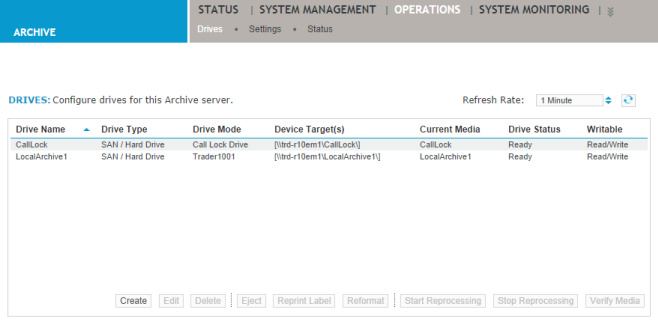
Information displayed for each defined drive
|
Field |
Description |
|---|---|
|
Drive Name |
Lists the user-defined name for the drive. |
|
Drive Type |
Shows the selected drive type, such as SAN/Hard drive. |
|
Drive Mode |
Indicates the Archive mode (Locally Recorded Content, Replay, Transfer, Centralized Content from Campaign) specified for the drive. When Centralized Content from Campaign is selected for a drive, this column displays the assigned campaign name. |
|
Device Target(s) |
Shows the path or location of the target media. |
|
Current Media |
Shows the active drive media. |
|
Drive Status |
Displays the status of the archive drive. Possible status values include Ready, Empty, Faulty, Unknown, Full, Replay, Reconstructing, or (for local drives only) Reprocessing. For removable media, the percentage of disk space used is displayed. For non-removable media, such as a SAN or an EMC Centera drive, disk space used is not displayed. |
|
Writable |
Shows whether the drive is Writable or Read-Only. Writable drives are used for archiving new data or playing back archived content. Read-Only drives are used only to play back files from existing media or for media migration. |