Validate keys after migration
After migrating keys to CipherTrust Manager KMS, confirm that the keys are there and show the latest CipherTrust version number.
Before you begin
Run key migration in CipherTrust Manager
Procedure
-
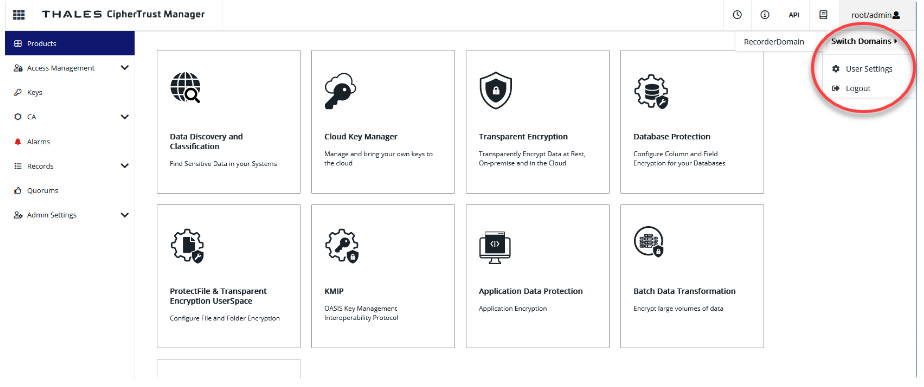
Open CipherTrust Manager, go to the home page, and confirm that the admin drop-down shows the Switch Domains option to view the corresponding domain.
-
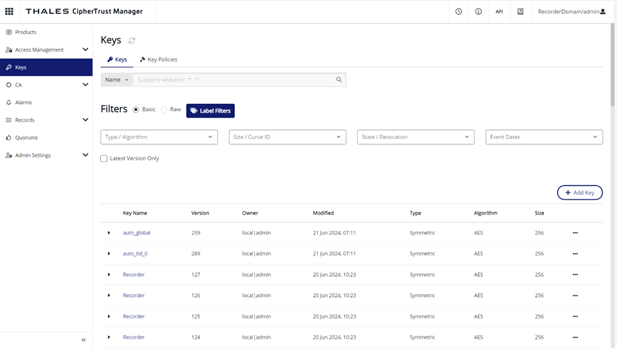
Switch to the domain name of Thales KMS to view the list of imported keys. For example, if Thales DSM has a domain name as RecorderDomain then switch to RecorderDomain here.
-
Make sure that the version number of an imported key is higher than the version number of the same key in Thales DSM.