Configure Amazon Connect in SalesForce
Verint can capture post-call and real-time audio from Amazon Connect when it's used as the voice platform in Sales Force. Configuration is the same as for a regular capturing solution for Amazon Connect, except that the IAM role requires different permissions.
Procedure
-
Log in to your SalesForce portal using an administrator-level account.
-
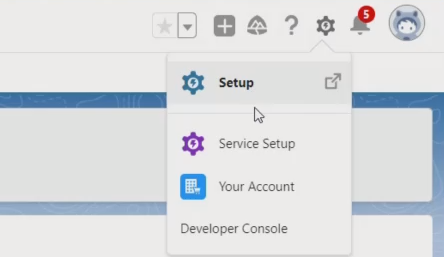
From the Setup menu, select Setup.
-
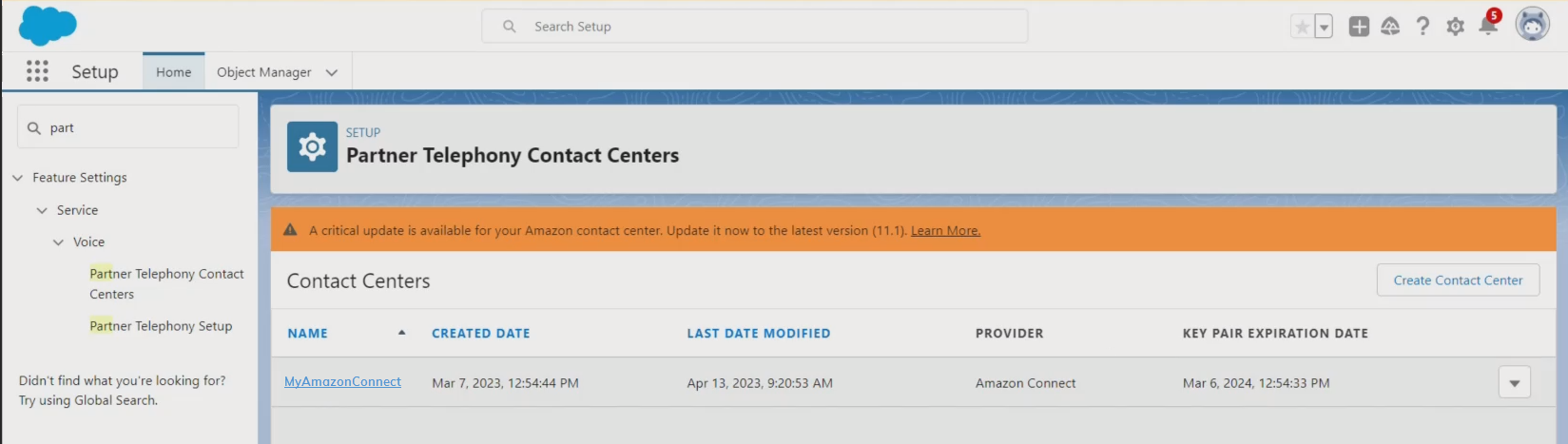
Search for Partner Telephony Contact Centers.
-
Select your instance of Amazon Connect.
If the list is empty, make sure you are logged in to the customer's SalesForce instance and are using an administrator account. For a new CTI connection, contact the SalesForce support team to have them create a contact center entry.
-
On the Contact Center Details page, under Settings, click Telephony Provider Settings.
You are redirected to the Amazon Connect instance.
-
If not already done by the SalesForce support team, configure Amazon Connect and enable the Capturing and Media Streams, as described in Configuring Amazon Connect.
What to do next