Register Verint as a Webex App for Cisco Webex Calling
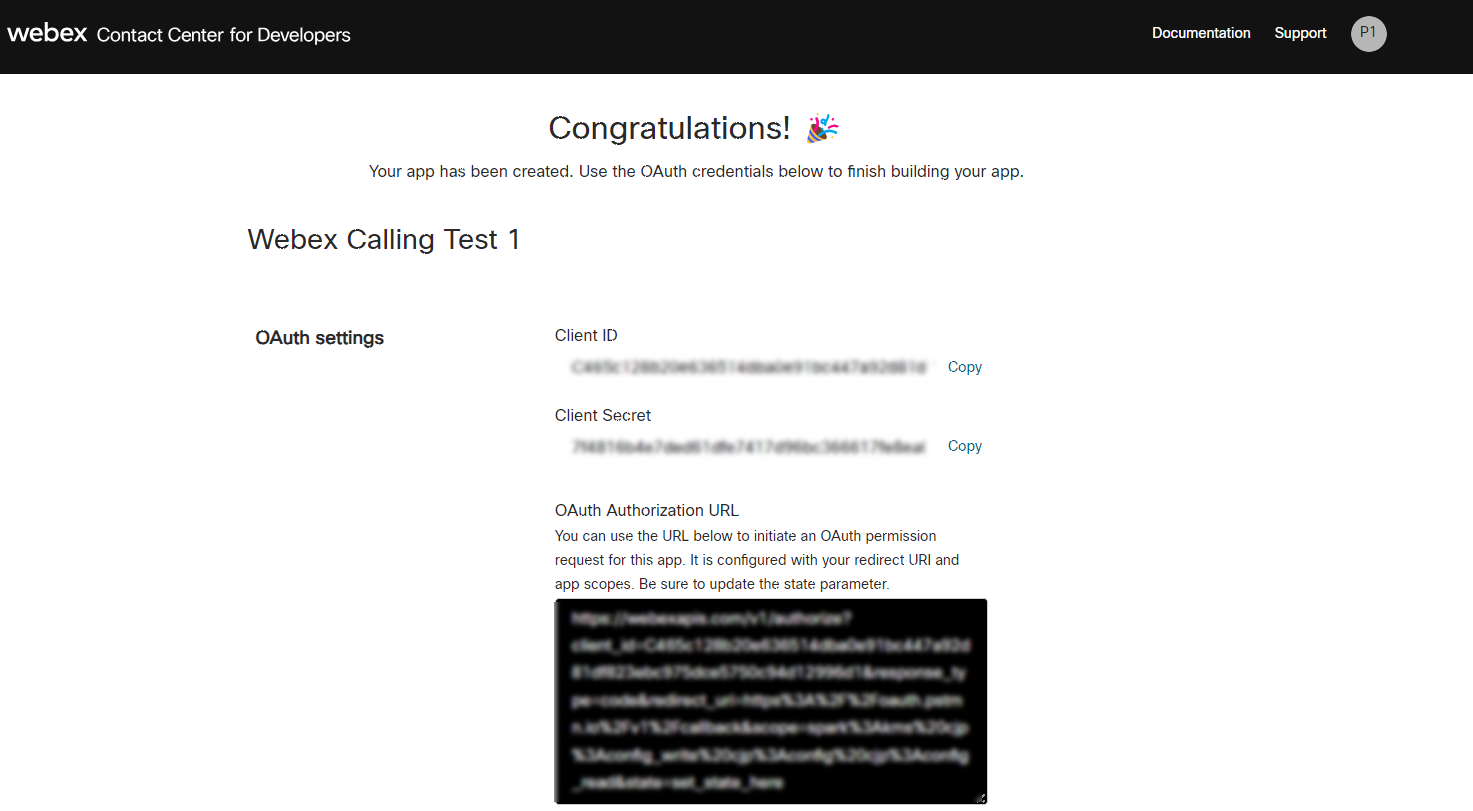
Before configuring the Recorder, you need to register Verint as a Webex App on the Cisco Webex Developer Portal. After registration, you receive a client ID, client secret, and an authorization URL.
Before you begin
Get a valid Webex account with the Cisco Webex Calling license and an admin license. Assign “Compliance Officer” role to the admin user used for creating Webex OAuth App.
Procedure
-
Sign in to developer.webex.com using administrator credentials for your Webex account.
-
From your profile avatar, select My Webex Apps.
-
Select Create a new app.
-
Complete the New App Integration form as follows:
Parameter
Value
Integration name
Enter a unique name for this app.
Icon
Select the default icons or upload your own.
Example: The icon must be precisely 512 × 512 pixels in PNG or JPEG format.
App Hub Description
Describe the purpose of this integration.
Example: By integrating Verint recording services with a Cisco Webex Calling, you can record voice calls for archive and analysis, while complying with recording compliance regulations.
Redirect URI(s)
Enter a valid URL that you control. It is used to get the authorization code.
You can use
https://oauth.pstmn.io/v1/callback.Scopes
Select the following scope:
-
spark-compliance:recordings_read
-
spark:people_read
-
spark:xsi
-
spark-admin:xsi
-
spark-admin:people_read
-
spark-admin:organizations_read
-
identity:tokens_read
-
identity:tokens_write
-
-
Select Add Integration.
-
Copy and save the Client ID and Client Secret and the OAuth Authorization URL to use when you create an authorization code and security tokens.
What to do next