Create a Five9 VoiceStream data source
The Application data source for Five9 VoiceStream contains the parameters necessary to connect to the Five9 VoiceStream contact center.
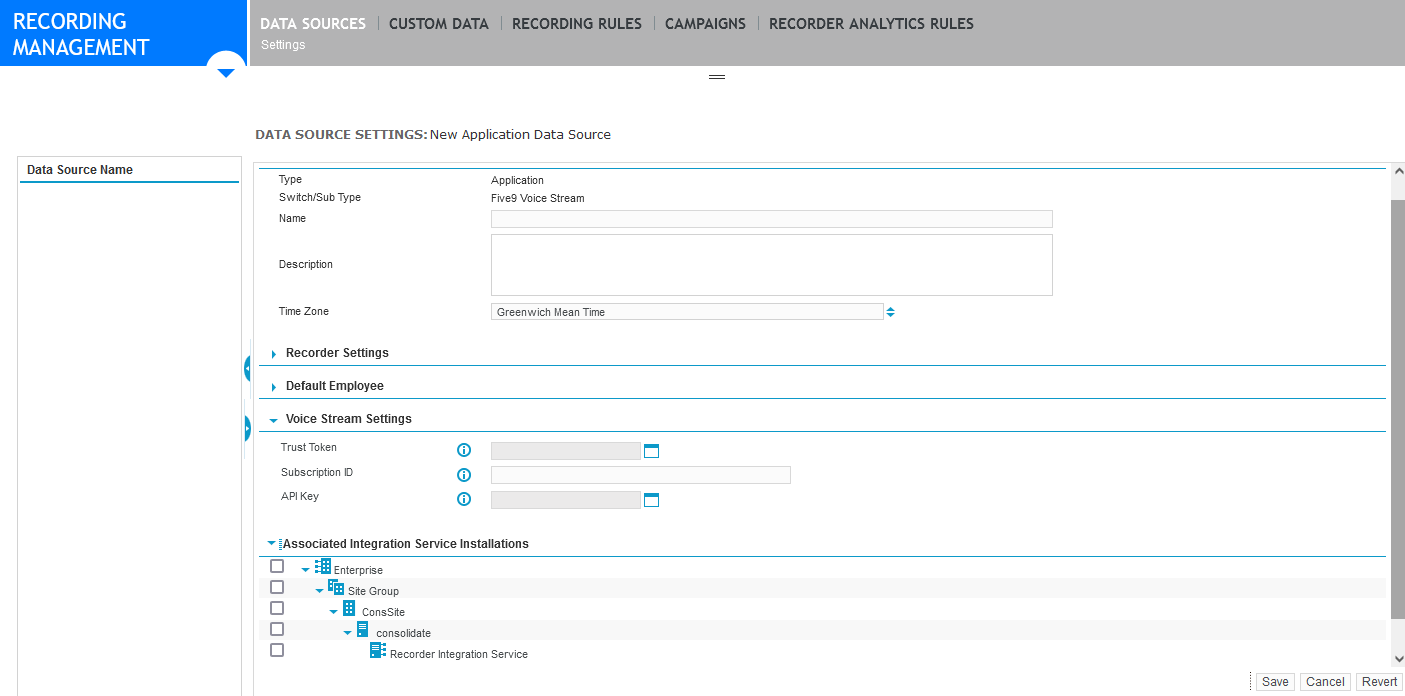
When you initially create the data source, enter dummy values for the Subscription ID and the API key; for example: 99999999. These values are required to create the VoiceStream subscription for Verint. Then replace the values on the data source with the actual values from the subscription.
Procedure
-
In Enterprise Manager, click Recording Management.
-
Under Data Sources, click Settings.
-
Click Create Data Source.
-
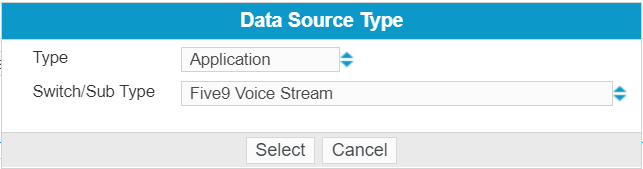
Select Application as the Type, and Five9 VoiceStream as the Switch Sub/Type, then click Select.
-
Complete the settings.
-
Under Associated Integration Service Installations, select the Recorder Integration Service node.
-
Click Save.
What to do next
Create a Member Group for Five9 data source
Settings for the Five9 VoiceStream data source
Recorder Configuration and Administration Guide