Create a SIP Proxy Adapter for Five9 Integration
The SIP Proxy Adapter receives the SIP audio streams.
Before you begin
An HTTP Alias must be configured on the nodes that host the Recorder Integration Service.
Procedure
-
In Recorder Manager, go to General Setup. Under Integration Adapters, click Settings.
-
Click Create, then select SIP Proxy Adapter.
-
Select the Application data source that you created previously for Five9.
-
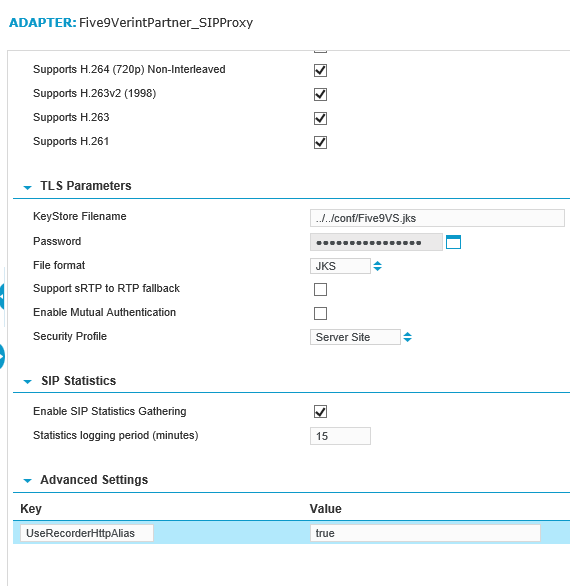
Clear the Enable Mutual Authentication check box. Five9 Voice Stream does not support SIP mutual authentication.
-
Complete the remaining settings.
-
Under Advanced Settings, create a Key named
UseRecorderHttpAlias. Enter a Value oftrue. -
Click Save.