Create a data source for BYOC Genesys Cloud CX
Create an Application data source to identify the information you want to capture, and to connect to your BYOC Genesys Cloud CX system.
-
In Enterprise Manager, select Recording Management.
-
Under Data Sources, select Settings.
-
Select Create Data Source.
-
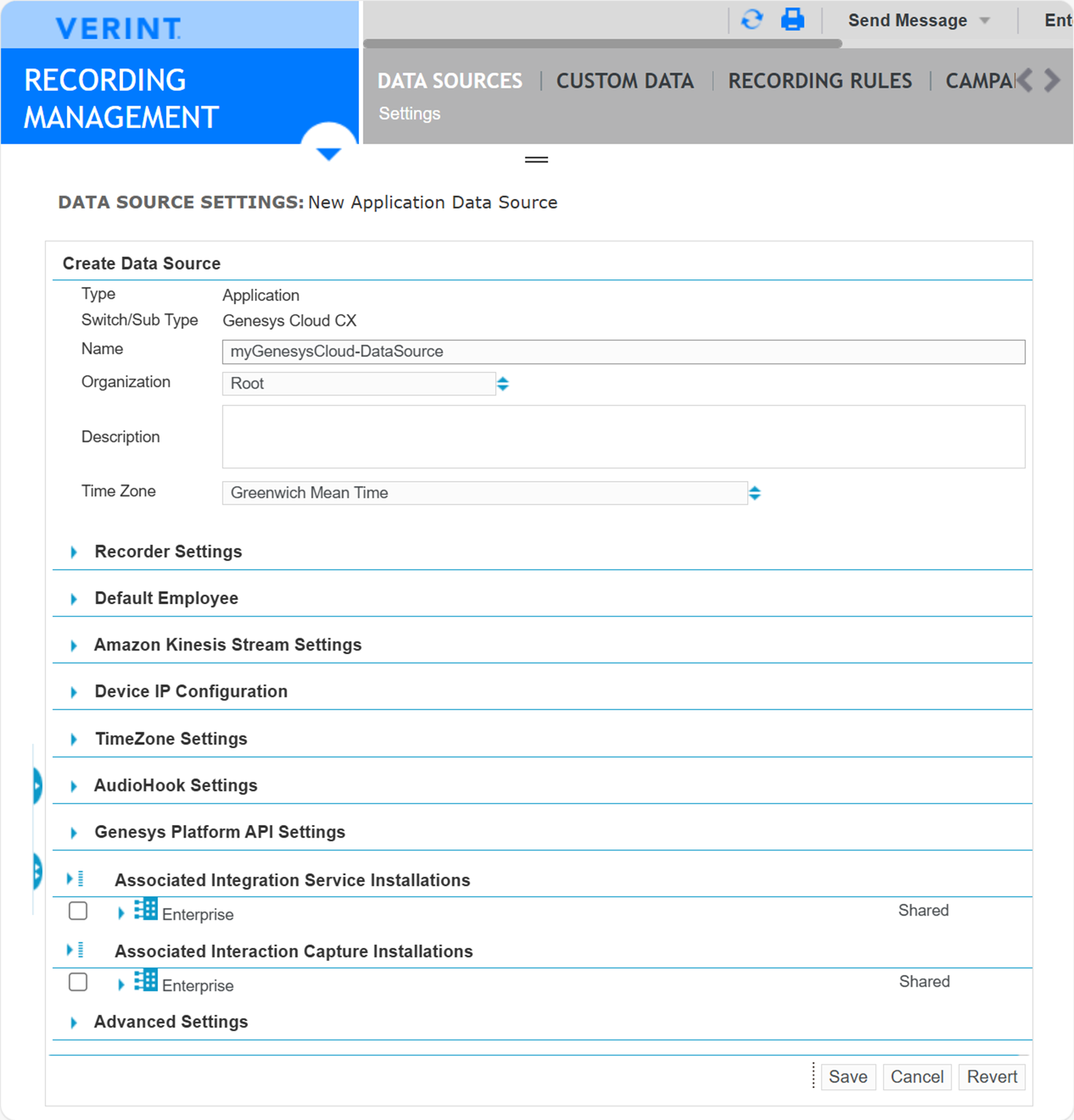
In Type, select Application; in Switch Sub/Type, select Genesys Cloud CX, then click Select.
-
Complete the settings. For instructions, see Related topics below.
-
Configure event delivery settings based on the method used by Genesys Cloud:
-
For the Genesys Cloud CX API (Method 1), complete the Genesys Platform API Settings, and omit the Amazon Kinesis Settings section.
-
For the Amazon EventBridge (Method 2), complete the Amazon Kinesis Stream Settings, and omit the Genesys Platform API Settings section.
-
-
Under Associated Integration Service Installations, select the Recorder Integration Service.
-
Click Save.
What to do next
Create a member group for BYOC Genesys Cloud CX
Settings for the BYOC Genesys Cloud CX data source
Workflow: Deliver Genesys Cloud events using Genesys Cloud CX API (method 1)
Workflow: Deliver Genesys Cloud events using Amazon EventBridge (method 2)
Recorder Configuration and Administration Guide