Enable automatic digital interaction recovery for Genesys Cloud CX
Configure your Genesys Cloud adapter to recover interactions automatically.
Best practices
Configure digital interaction recovery to run automatically.
What you should know
Automatic digital interaction recovery runs daily at midnight on the active (main)
Procedure
-
Enable digital interaction recovery to run automatically on your Zoom Meetings Adapter.
-
Select System Management, under Enterprise, select Settings.
-
In the Installations pane, select your
-
Select General Setup, under Integration Adapters, select Settings.
-
Confirm that Genesys Cloud Adapter is Started.
-
Select Genesys Cloud Adapter.
-
Select Enable Auto Reconciliation.
-
Save your changes.
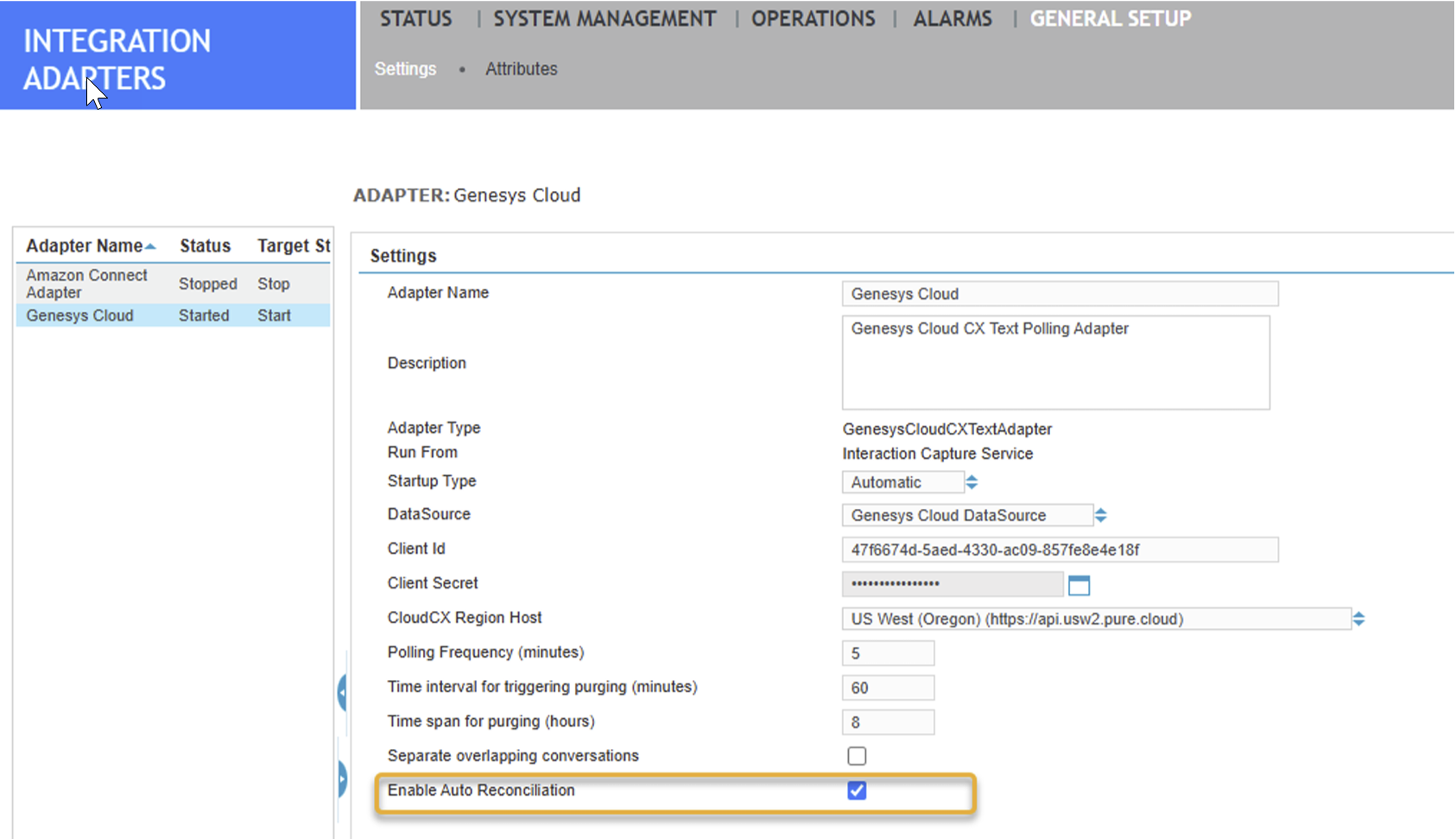
-
Restart the adapter.
-
-
Repeat this procedure on the standby
What to do next
After automatic recovery finishes running at midnight, Verify digital interaction recovery status for Genesys Cloud CX