Register OAuth App on the Microsoft Entra Portal
Before configuring the Recorder, you need to register OAuth App on the Microsoft Entra Portal. After registration, you receive an Application (client ID).
Before you begin
Get a valid Microsoft account having administration permission.
Procedure
-
Sign in to https://entra.microsoft.com/ using administrator credentials.
-
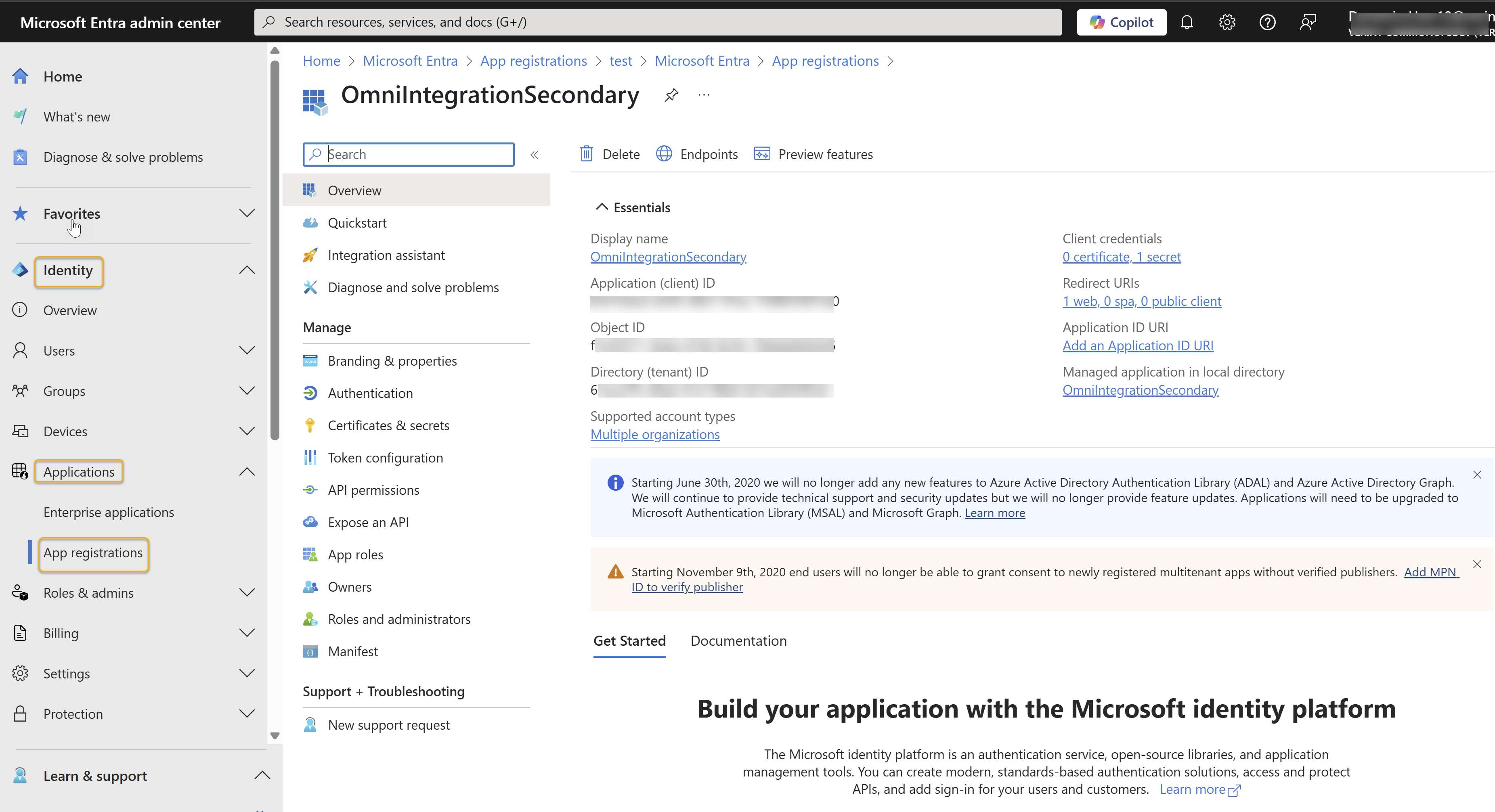
In the left navigation pane, expand Identity, then expand Applications, and select App registrations.
-
Select + New registration.
-
On the Register an application page, complete the form using the following information:
Parameter
Value
Name
Enter a unique name for this app.
Supported account types
Select the following Supported account types based on your app’s scope:
-
Accounts in this organizational directory only (Verint CommonOpsDev only - Single tenant)
-
Accounts in any organizational directory (Any Microsoft Entra ID tenant - Multitenant)
-
Accounts in any organizational directory (Any Microsoft Entra ID tenant - Multitenant) and personal Microsoft accounts (for example, Skype, Xbox)
-
Personal Microsoft accounts only
Redirect URI (s)
Enter a valid URL that you control. It is used to get the client secret.
-
-
Select Register.
-
On the application’s Overview page, copy and save the Application (client) ID for future reference.
What to do next
Create client secret on the Microsoft Entra Portal
Integration configuration for Microsoft Dynamics Omnichannel