Microsoft Teams using SIPREC integration overview
The Session Recording Protocol (SIPREC) integration enables Verint to capture and record audio from Microsoft Teams calls using a SIPREC-compatible Session Border Controller (SBC). This setup is ideal for compliance recording in regulated industries.
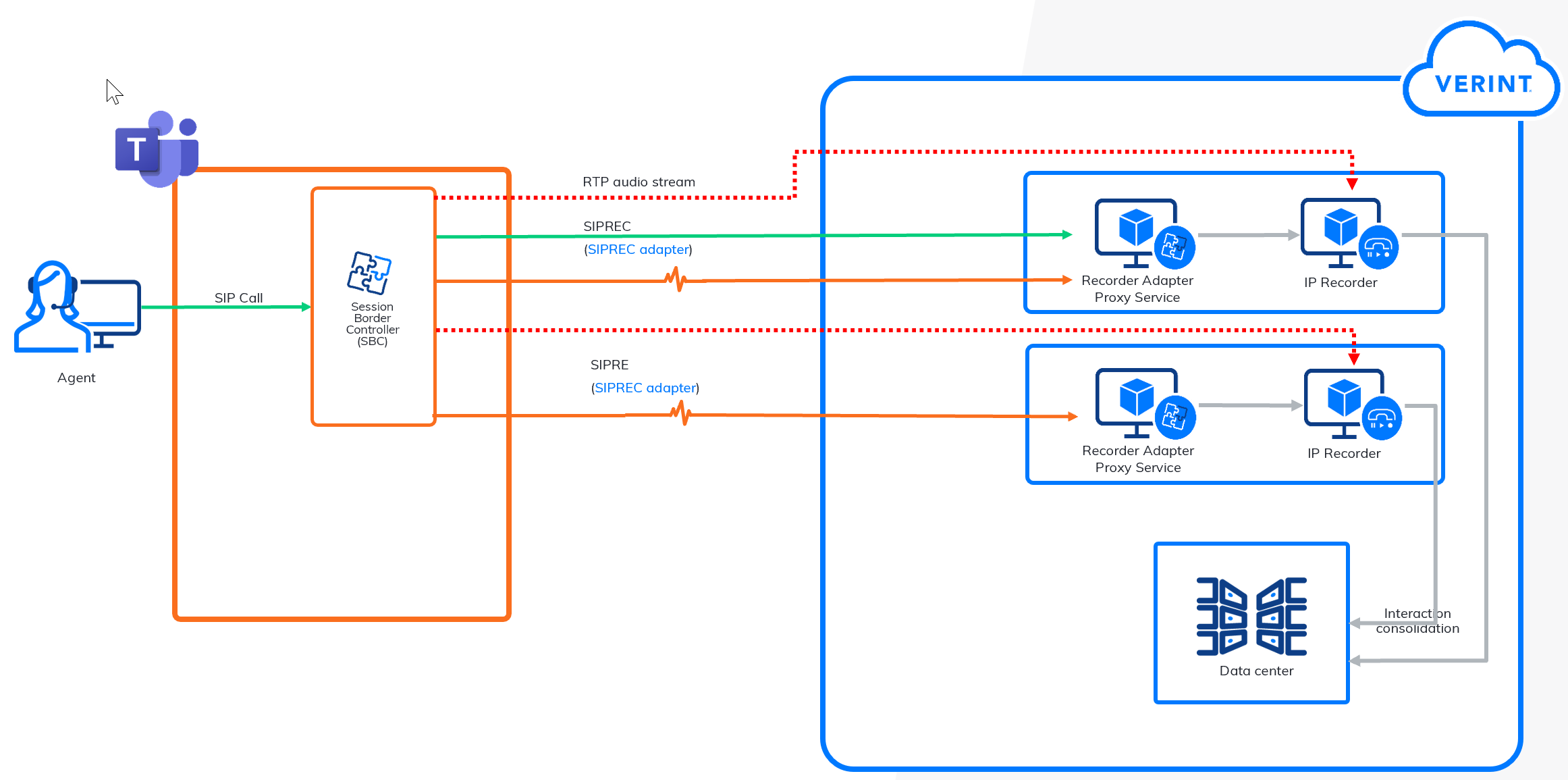
Audio capture flow using SIPREC
- Call Initiation
A Microsoft Teams call is started between participants.
- SBC captures the call
The SBC intercepts the call and initiates SIPREC (SIP Recording) signaling to the Recorder Integration Service (RIS) or Recorder Adapter Proxy Service (RAPS) node.
- RIS or RAPS directs Real-time Transport Protocol (RTP) stream
RIS or RAPS processes the SIPREC signaling and instructs the SBC on where to send the RTP media stream.
- RTP Stream sent to IP Recorder
The SBC sends the RTP stream to the designated IP Recorder, which is responsible for capturing and storing the media.
- Audio stored and sent to data center
The IP Recorder stores the audio and forwards it to the data center for long-term storage, processing, or compliance.
- Metadata matching
The RIS or RAPS node matches the call metadata, for example, participants, timestamps, and call IDs with the recorded audio to complete the interaction record.
Configure Verint to capture Audio from Microsoft Teams using SIPREC