Set up backend pools on the application gateway
Add the Teams bot VMs you have created to the backend pools without targets.
Procedure
-
On the Application gateway configuration page, select a backend pool you created.
-
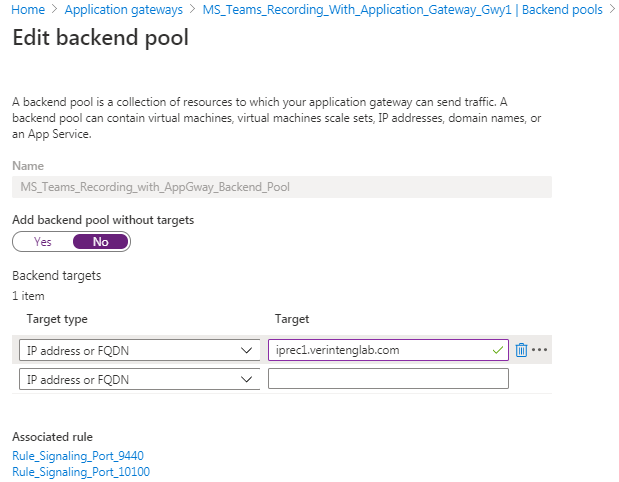
Add the VMs using FQDN.
Use the CNAME record you created for the Bot VM as the FQDN. Using the CNAME record enables the custom health probe and routing rules work with the same certification that can be applied for the CNAME FQDN.
What to do next