View a predefined view
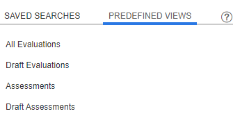
The system provides you with a set of predefined views (predefined folders) to locate your evaluations or assessments easily. The search criteria of the predefined views is fixed and cannot be modified at any time.
Before you begin
Verify that the folder you want to access is assigned to your group and role in the Assignment Manager application.
Procedure
-
In the Search workspace, click Predefined Views.
-
From the list, click the predefined view you want to view.
For Assessment folders, if a contact contains multiple interactions, only the first interaction of the contact is displayed in the folder. The other interactions can be accessed once you access the Assessment.