Set up the EDM capture module
For the Recorder to request data from external sources and to store the content it receives, assign the required service nodes.
The Service Provider does this procedure.
Redundancy
In systems with redundancy, there are two Recorder server nodes running. The same server roles need to be selected on each Recorder.
Before you begin
Install the Recorders (main and standby), as described in the WFO Installation Guide.
Procedure
-
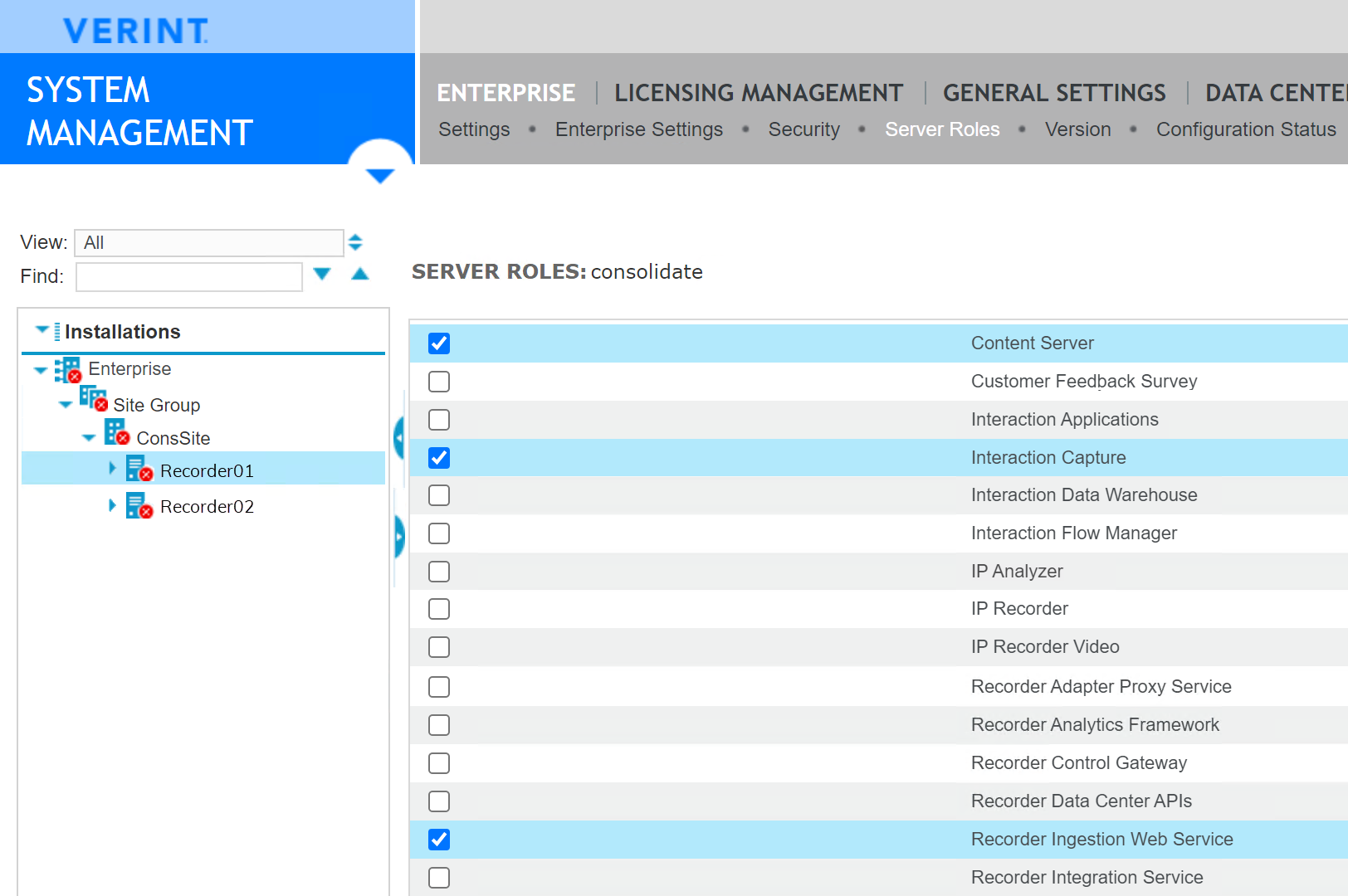
Add the required server roles to the Recorder node.
-
In Enterprise Manager, go to System Management > Enterprise > Settings.
-
Select the
-
Enable the following server roles:
-
Content Server
-
Interaction Capture
-
Recorder Ingestion Web Service
-
-
Click Save.
-
-
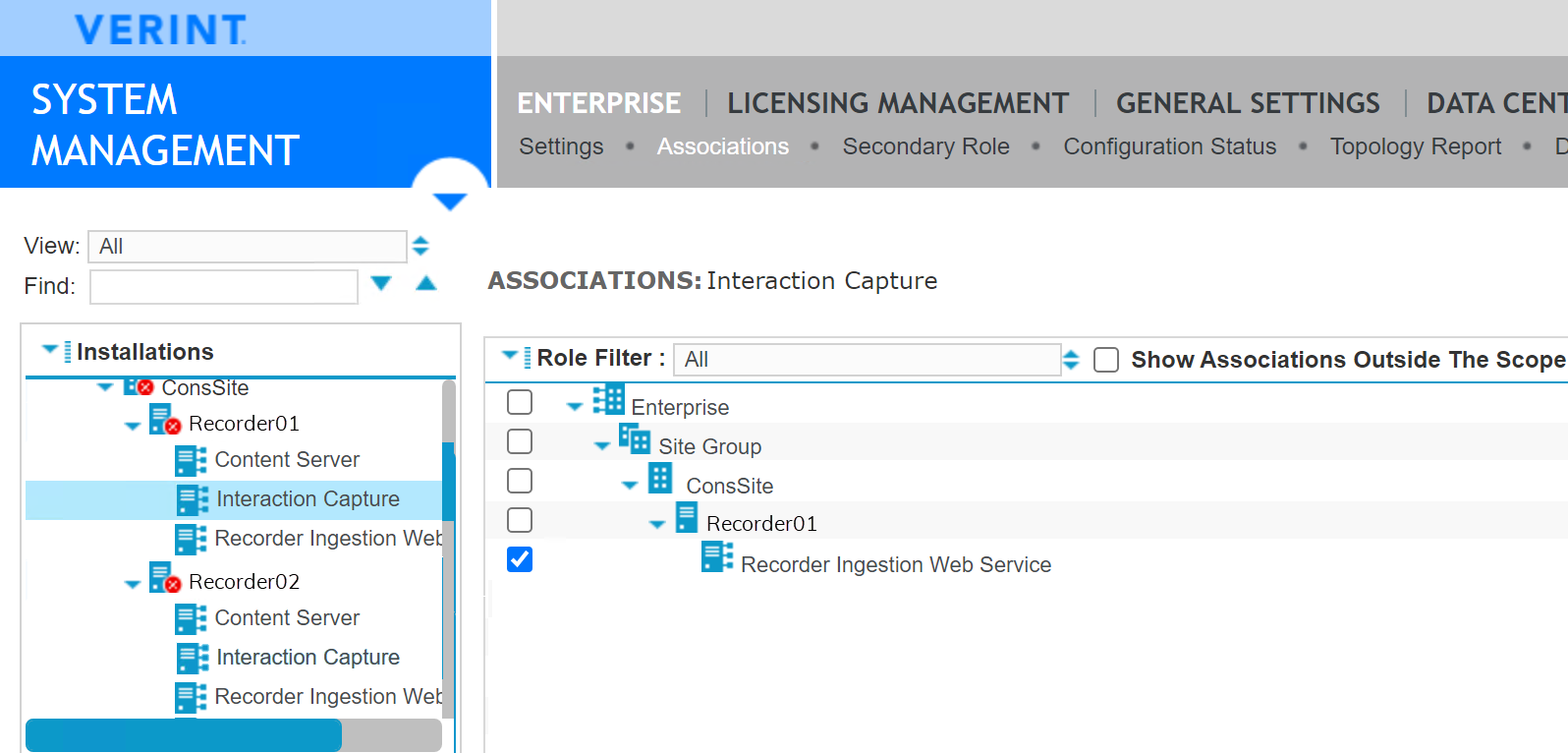
Associate the Ingestion Web Service to the Interaction Capture node.
-
In the Installations pane, expand the
-
Under Enterprise, select Associations.
-
Select the Recorder Ingestion Web Service.
-
Click Save.
-
-
Repeat the previous steps on the secondary Recorder.
What to do next
Create a Conversocial data source
Workflow: Configure EDM Capture for Verint Messaging
WFO Installation Guide
Recorder Configuration and Administration Guide