Limitations
A known limitation is a feature or function that seems desirable, but is unavailable for use because of a limited ability in our system, the external system, or both. Whenever possible, we provide a workaround.
This release includes the following known limitations:
- Verint only captures a Zoom meeting that includes at least one configured agent. A configured agent is a meeting participant that has a Zoom user account and a Verint employee account.
-
Audio is trans-coded on ingestion, with some loss of quality.
-
When an internal participant (with or without a Verint employee account) hosts a Zoom meeting, Verint captures the audio, video, and text chat for each internal participant.
-
When an external participants hosts or attends the meeting, Verint only ingests their audio, and does not capture the external user's video or screen share. An external participant is a meeting attendee that does not have a Zoom user account.
-
To capture the text chat and audio of external participants, Zoom Support must configure your Zoom Meetings account to archive audio, archive chat, and archive external chat.
-
Text interactions are ingested separately from other media types. So, there are two search results per participant; one that contains the (1) audio and video, and another than contains the (2) text chat.
-
If a participant shares their screen during a meeting, the captured video file includes both the video and screen share. The video and screen share cannot be split into separate files.
-
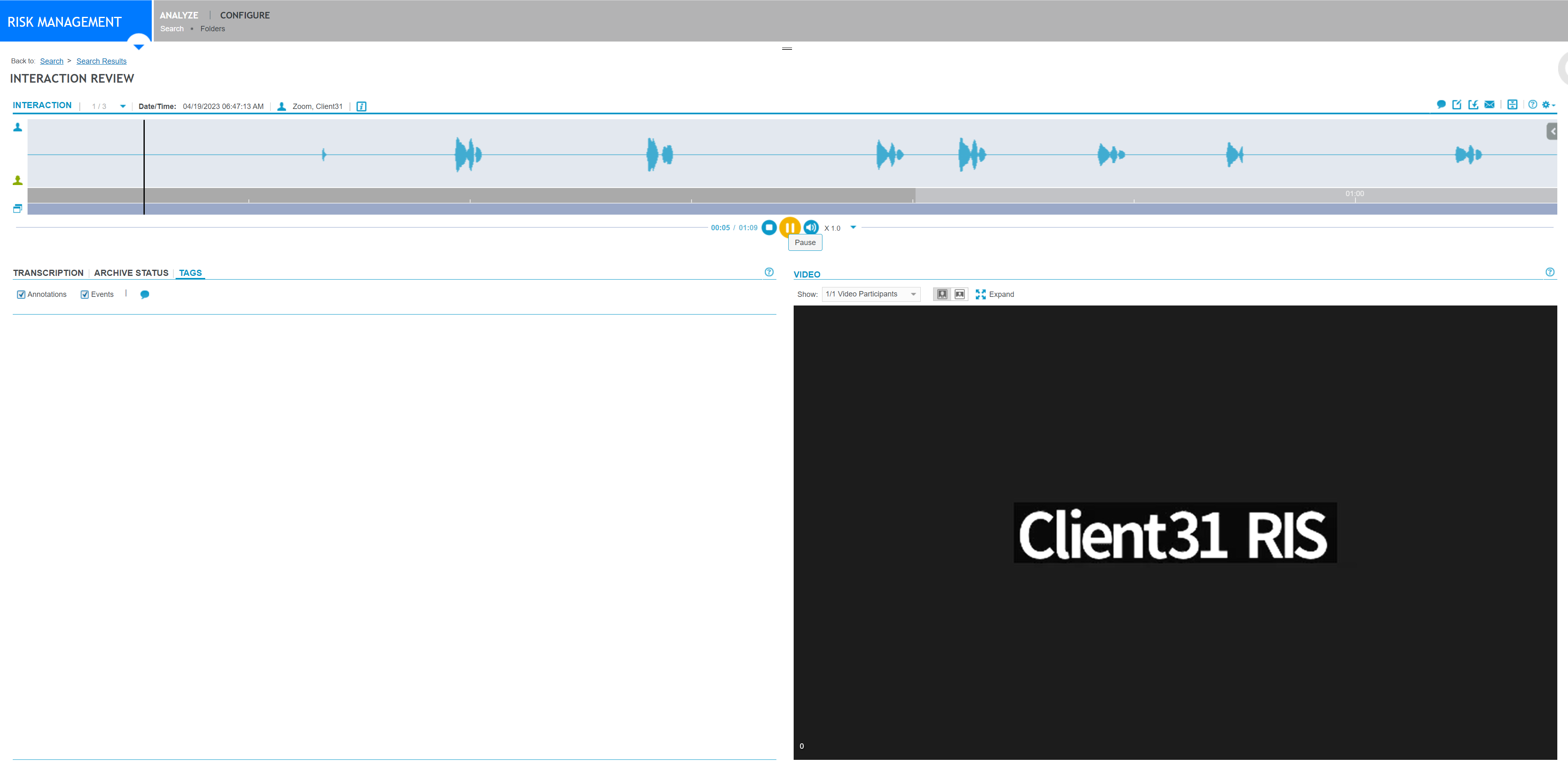
Depending on how Zoom Meetings is configured, when a participant does NOT turn on their video or share their screen, the Recorder downloads an MP4 file anyway. The file does not actually contain any video. When you replay the interaction, you see a black screen and the user name of the Zoom client.
-
When common audio is configured:
-
Zoom Meetings always connect the muted video and the extracted audio to every participant if a video URL is provided by the query; the only time this won't happen is if no participant requests a video.
-
All participants (sessions) have access to the audio if just one audio URL is provided; the only exception is if no participant requests any audio.
-
-
When separated audio is configured:
-
We ingest the individual audios to the appropriate participant if requested audio; this is the only case when we can consider the agent recording profile individually.
-
-
If we get back the meeting query from Zoom Meetings, the video URL is:
-
If any of the participants (including the host) request video, the muted video and audio are archived as shared media between all of the participants (that is, common media recordings for all sessions).
-
If only audio is requested by any participants (including the host), the extracted (from video) audio is archived for all of the participants (that is, common audio recording for all sessions).
-
-
If we get back the meeting query from Zoom Meetings, the audio URL is:
-
If any of the participants (including the host) request audio, the audio is archived for all of the participants (that is, common audio recording for all sessions).
-
-
If we get back for the meeting query from Zoom Meetings, empty video and audio URL:
-
If a participant (including the host) requests audio and that participant has a separate audio download URL, that is archived in that participant's session only; that is, there is no shared audio recording.
-
-
If we get back the meeting query from Zoom Meetings with an empty video and audio URL and no separate download URL exists for a participant or that participant does not request audio, then there is no content to be archived, and therefore no meeting is archived.
-
Zoom missed meeting recordings are available for call recovery for up to 60 days. By default, the retention period is seven days, which can be extended to 60 days upon request from the Zoom support team.
-
Video recovery is supported only if at least one audio file was not originally recorded.
-
Chat recovery is not currently supported.