Call recovery overview for Zoom Meetings
The call recovery process helps minimise data loss caused by a number of factors, including an issue on the network or recording files not being available during ingestion, an adapter or service stopped for a long period or not having access to the last available watermark. The process finds missing interactions and recovers them from the Zoom Meetings. Understand the Zoom Meetings and Verint components required for meeting recovery and how these components interact.
System Requirement
To enable the recovery functionality for Zoom Meetings, contact us to get the related KB.
Components
Call recovery finds missing interactions by comparing data in the Verint Contact Database with contact records in Zoom Meetings. The missing audio interactions are then downloaded from Zoom Meetings to Verint.
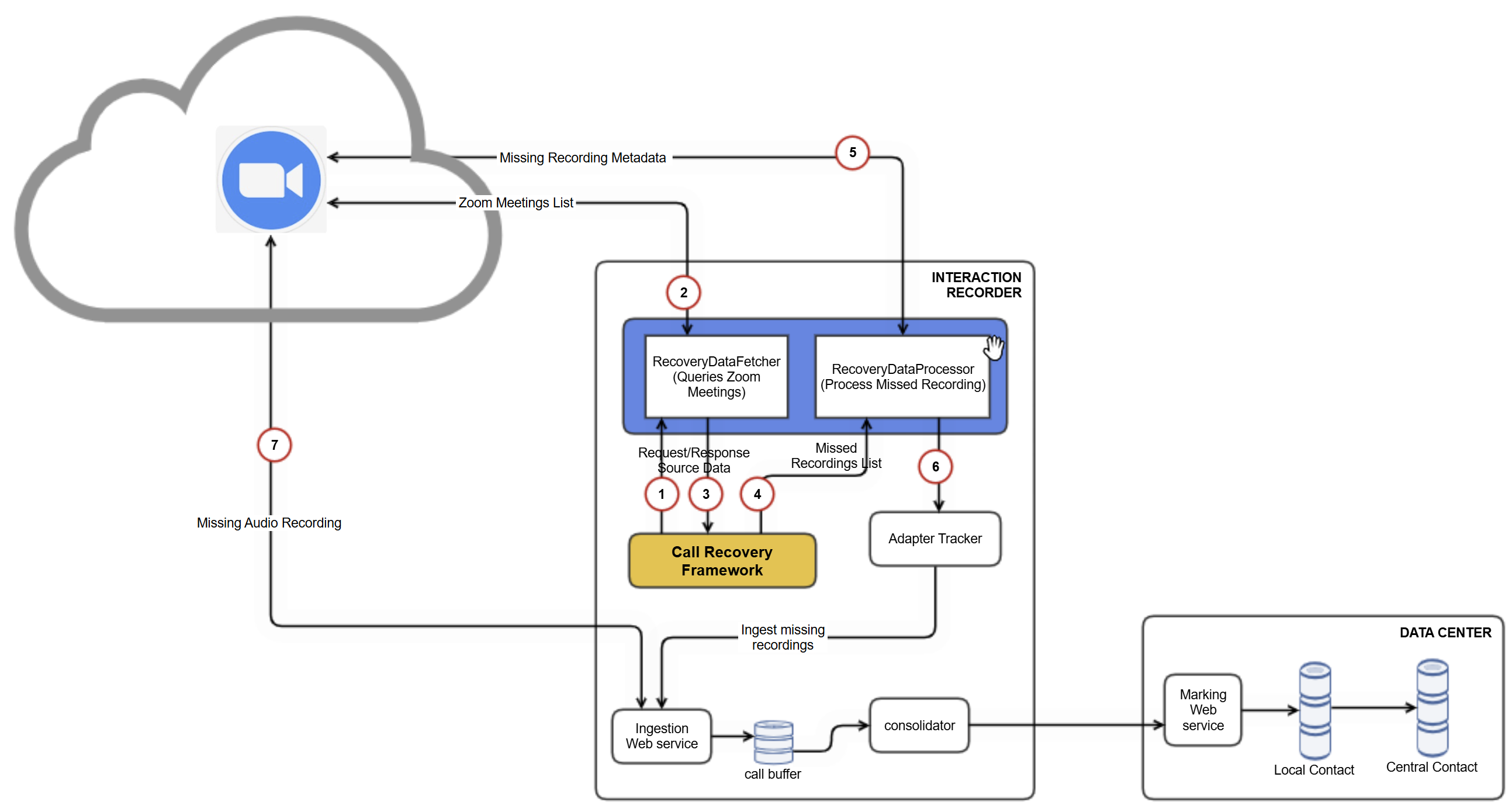
The following technical diagram shows the components required for call recovery and describes the flow of data between components.
-
Recovery request triggered for specific timeframe.
-
Using the Zoom API endpoint /v2/archive_files, query Zoom meetings completed during a specified period. For manual recovery, you specify the period. For automatic recovery, the period is set by the system.
-
Matches the entries received from the Zoom API server with the results returned by the DAS API and identifies missing recordings.
-
Processes missed recordings.
-
Using the Zoom API, query the Meeting Recording metadata of the missed meeting recordings.
-
The Interaction Capture service ingests missed meetings and stores them in the call buffer (cache).
-
Downloads the missed meeting audio, video and text files from the Zoom API server.
Specific meeting recovery
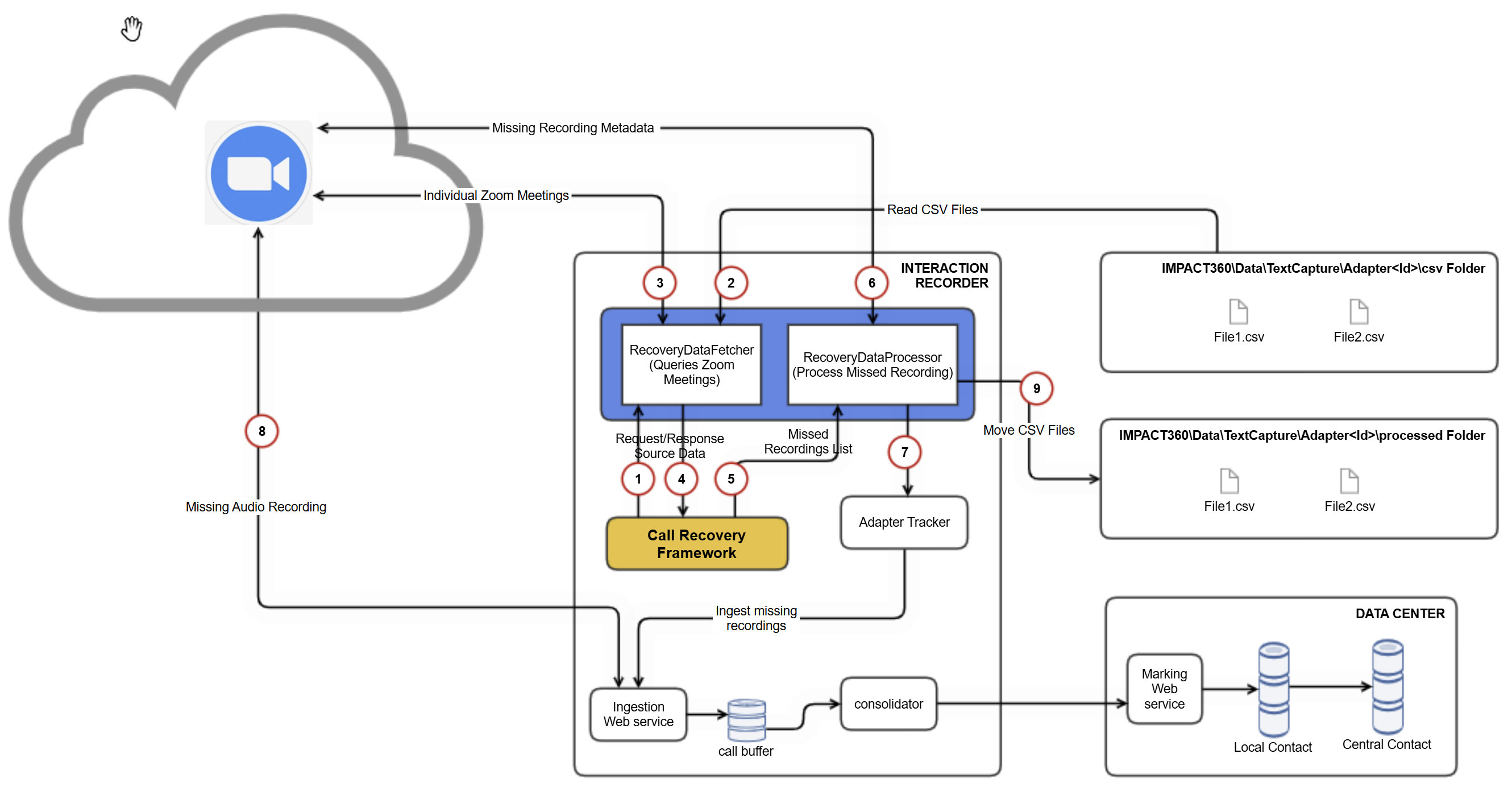
-
Initiate recovery request:
A recovery request is triggered for specific timeframe.
-
Retrieve Meeting IDs:
The adapter extracts Meeting IDs from
.csvfiles located inIMPACT360\Data\TextCapture\<adapter type>\csv. -
Query metadata:
The adapter queries metadata for these Meeting IDs using the API endpoint
GET /past_meetings/{meetingUUID}/archive_files. -
Identify missing recordings:
Entries from the Zoom API server are compared with DAS API results to detect missing recordings.
-
Process missed recordings:
Identified missed recordings are processed.
-
Retrieve metadata for missed recordings:
The Zoom API is queried to fetch metadata for missed recordings.
-
Ingest missed meetings:
The Interaction Capture service ingests missed meetings, storing them in a caller buffer (cache).
-
Download missed meeting files:
Missed meeting audio, video and text files are downloaded from the Zoom API server.
-
Move processed files:
Processed
.csvfiles are relocated from the csv directory to the processed directory.
What to do next
Contact your Service Provider to Workflow: Configure and run call recovery for Zoom Meetings