Refresh security tokens
Settings in the data source create a security token required to use the Zoom Meeting API. The Verint adapter refreshes this token on startup. If the adapter is not run for over 60 days, and the refresh token expires, you must generate a new one.
Before you begin
Get an application to make API requests. You can use cURL or Postman.
Procedure
-
In Postman, make a POST request to the URL
https://api.zoom.us/oauth/tokenusing the following parameters:Key
Value
grant_type authorization_codecode Enter the code you copied in step 16. redirect_uri Enter the URL that you entered as the Redirect URL for OAuth in step 9. 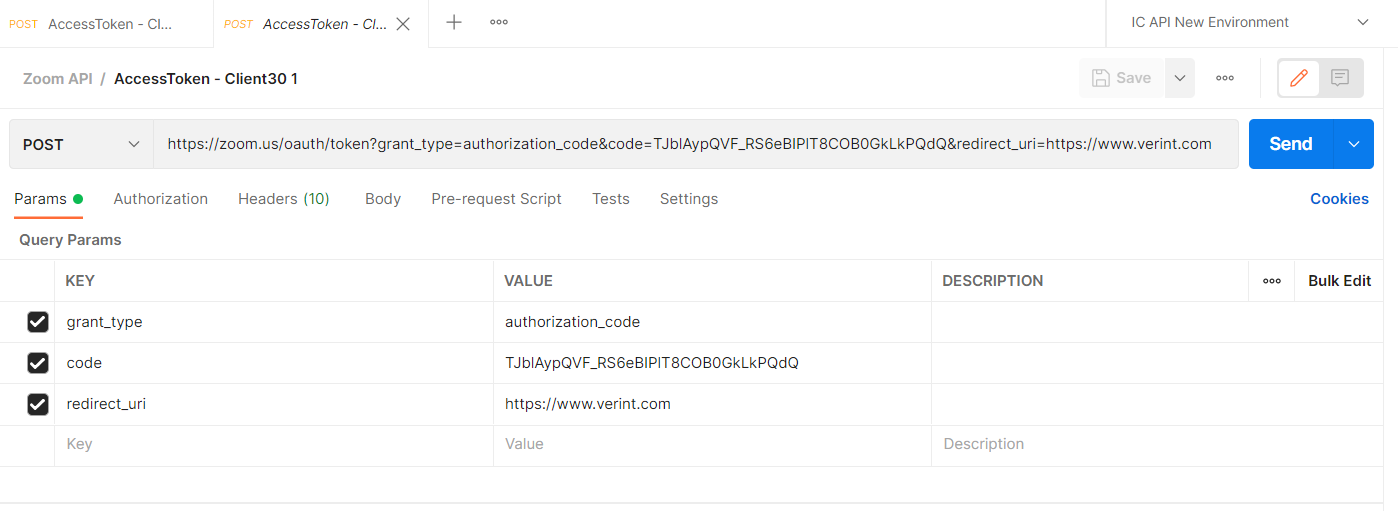
-
Copy the refresh token, and then update the data source.
The response contains a new access token and refresh token.