Configure disk manager
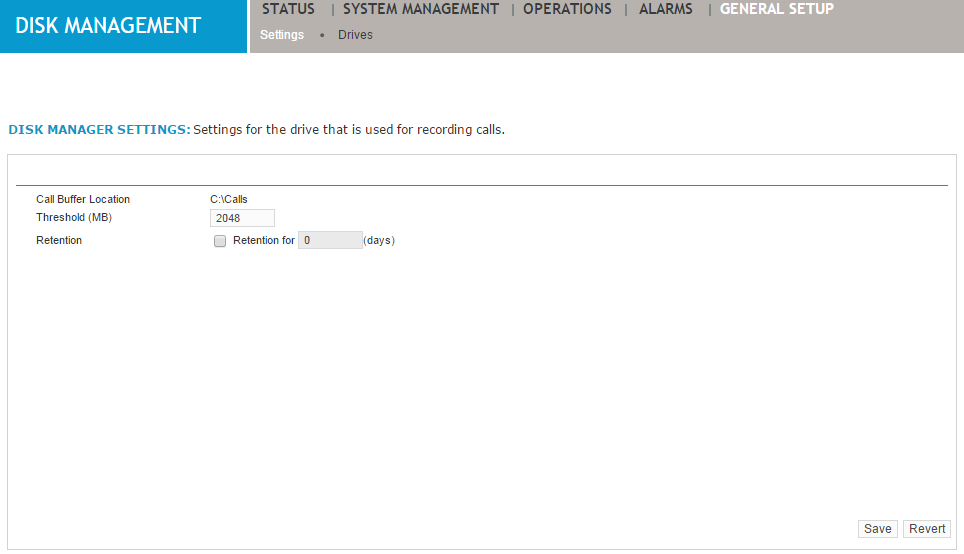
Use the disk manager settings page to assign drives, folders, and capacity thresholds for the recording of contact details on the local call buffer. Recorded contacts are stored temporarily in the call buffer until the specified disk threshold is reached. Contacts must be archived prior to deletion here, otherwise they are lost (see the Archive Administration Guide).
Procedure
-
Click General Setup > Disk Management > Settings.
-
Complete the following fields:
-
Threshold (MB)—Type a size in megabytes for free disk space on the call buffer. Generally, the threshold should be set at 10 percent or 10 GB, whichever is higher, so that amount of hard disk space is always free. This provides a tolerance level for Disk Manager to delete contacts during high-volume recording, when the Call Buffer can fill up faster than contacts can be deleted.
-
Retention—Select the check box, then type the number of days for which calls should be retained in the Call Buffer. For example, if you want calls to be deleted after 90 days, select the check box and then type 90 in the field. If the disk reaches the threshold calls will be deleted regardless of the retention setting.
-
-
Click Save.