Delete an API key
For security reasons, if you are concerned that a key has been given to someone in error, or otherwise compromised, you can delete it. You can also delete unused or obsolete API keys to keep the key list current. When a key is deleted, it is removed immediately and permanently from the system, and is unrecoverable. Future requests that use the deleted key will fail.
What happens when a user is deleted?
-
Automatic removal: When a user is deleted or their credentials are removed, they are automatically disassociated from any API keys within a few hours.
-
API key persistence: The API key itself remains in the list even after the user is deleted.
-
Manual deletion: If the API key was solely for the deleted user, you can manually delete the key.
Before you begin
Disable the key you want to delete.
Procedure
-
Select the key to delete.
-
If the key is enabled, disable it now:
-
Under Actions, click the Edit icon
 .
. -
In the Generate key dialog box, clear the Enabled option.
-
When prompted, confirm the action, and then click Save.
-
-
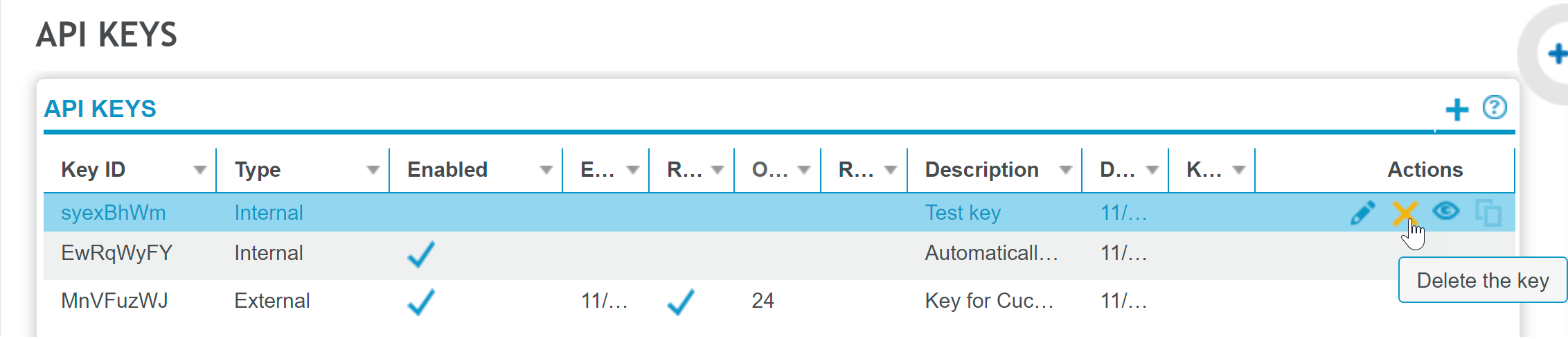
With the key selected, under Actions, click the Delete icon
 .
.
-
When prompted, confirm the action.