Download and unzip the ksctl_images.zip file
The CLI toolkit is required to import (migrate) keys to CipherTrust. Download the CLI toolkit from the Thales CipherTrust Manager web application and unzip the ksctl_images.zip file.
Procedure
-
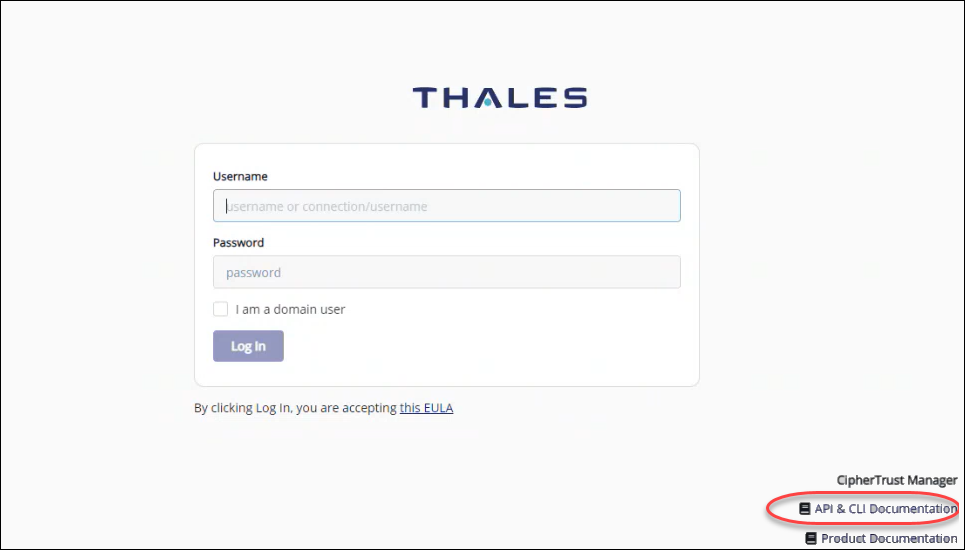
In a web browser, enter the host name of the CipherTrust Manager system.
-
From the Thales sign-in page, click the API and CLI Documentation.
-
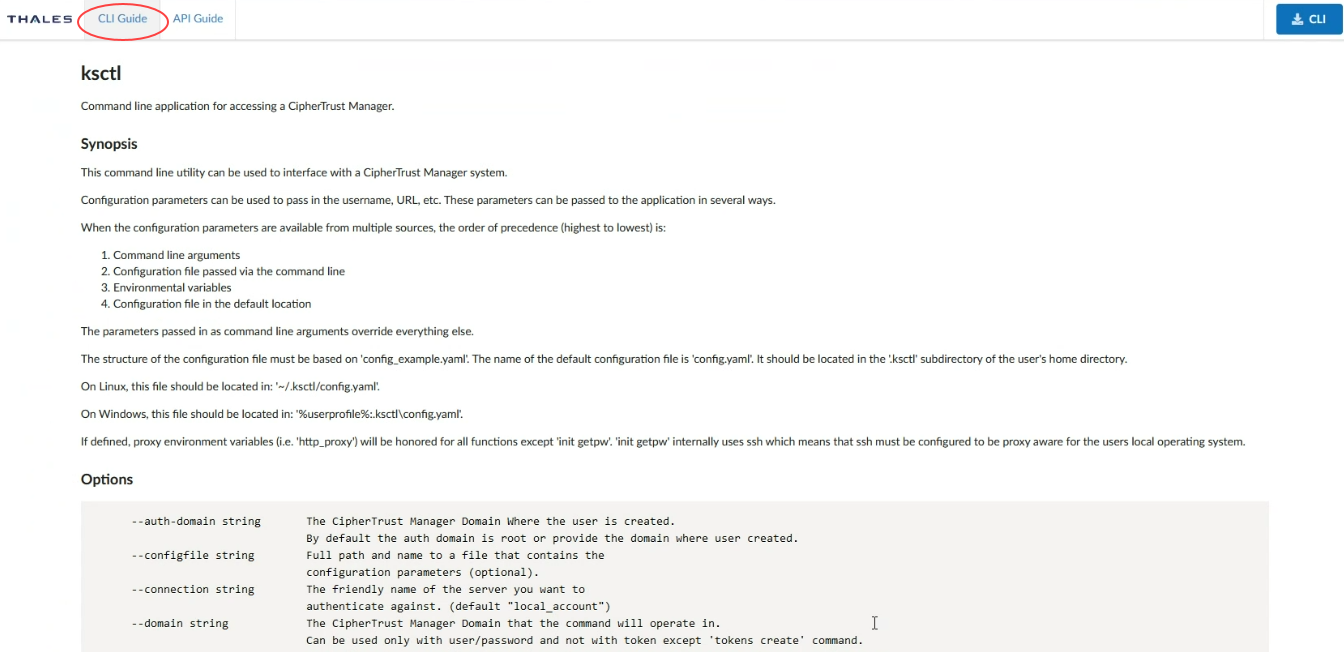
Click CLI Guide.
-
To download the application, click the CLI button.
-
From the downloaded location, unzip the ksctl_images.zip file.

-
For Windows, confirm that you have the following files:
-
config.yaml
-
Config_example.yaml
-
ksctl.exe
-
ksctl-win-amd64.exe
For Linux, the files differ per Linux version.
-