Create a user
You need to create a user which can be used to connect between CipherTrust and application server (WFO).
Only the required fields are explained in the following the steps.
Before you begin
Procedure
-
Sign into the CipherTrust Manager Web Interface.
-
Go to Access Management and select Users.
-
Click Add User available on the upper right corner of the screen. The Add User screen appears.
-
Provide the full name.
-
Provide the user name and password.
-
Uncheck the option Allow user to login using CipherTrust web app.
Proceed with the remaining default selection.
-
Click Add User.
A user is created and appears in the list of users available on the Users page.
-
You can include the user to the admin group, to do so, click
 corresponding to the Username in the table. You can edit or view the user details.
 -
Expand the Group Memberships section.
-
Click Add Group.
-
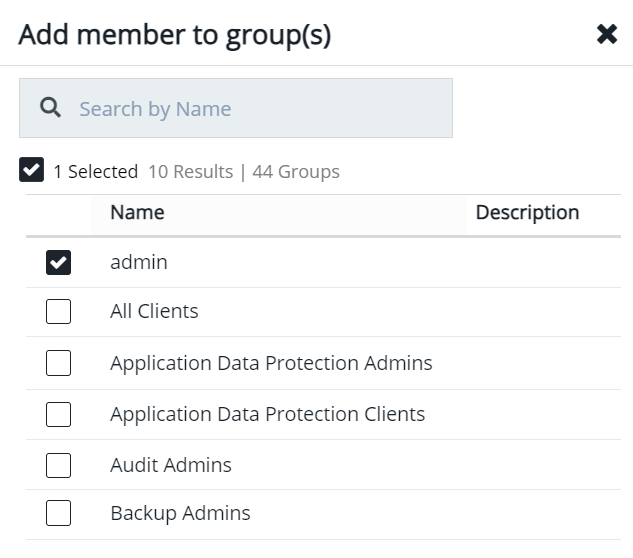
Enable the checkbox for any desired group(s). You can search for a group by name.
-
Click Add Group to confirm.
What to do next