Set two custodians
Custodians are responsible for managing and protecting the wrapper key. For migration, change the number of custodians to two, to avoid breaking it into too many shares.
Before you begin
Have the credentials (user name and password) for two system administrators.
In this procedure, the administrator accounts used for examples are SystemAdministrator and SystemAdministrator2.
Procedure
-
Log on to the Thales Vormetric Data Security Manager (DSM) as SystemAdministrator.
-
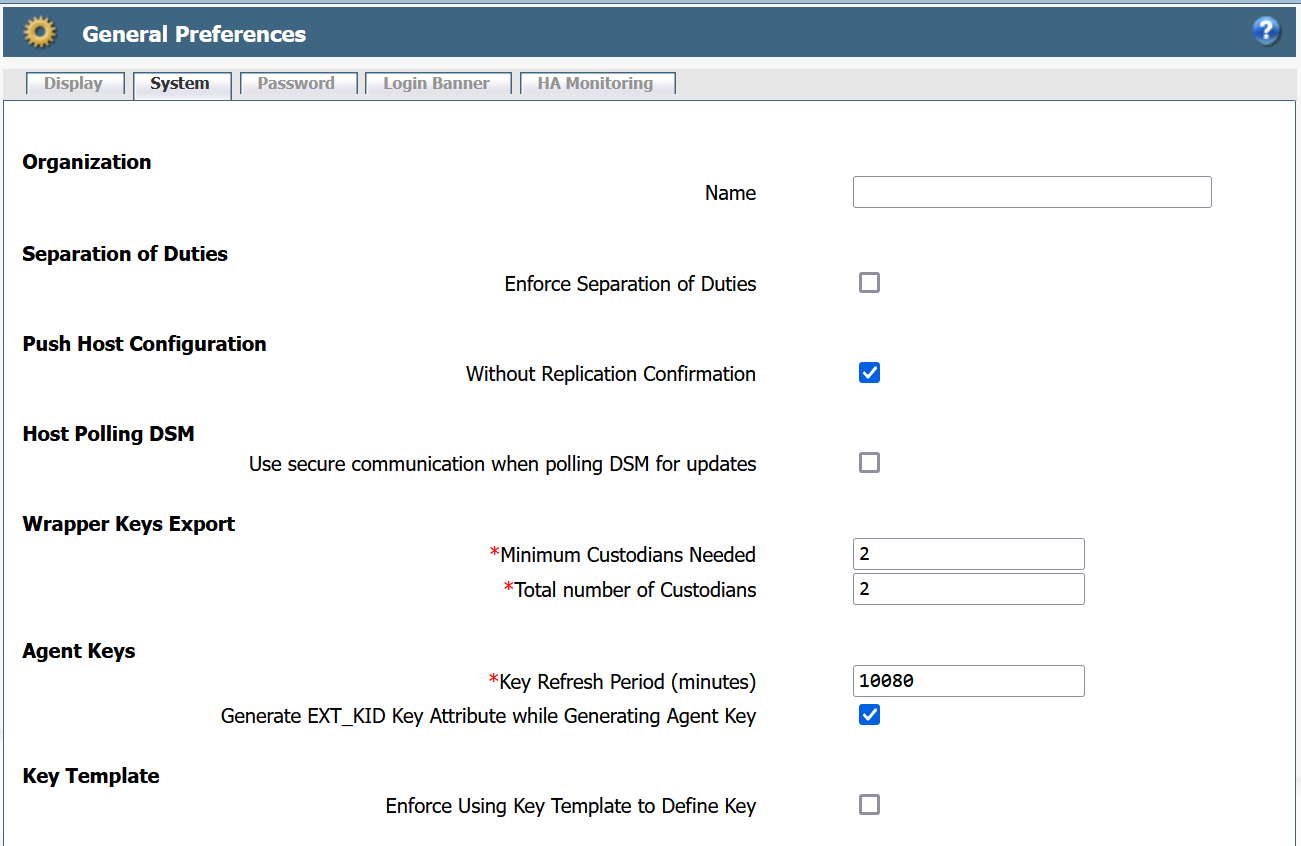
On the System menu, go to General Preferences and select Systems tab.
-
Under Wrapper Keys Export, change:
Minimum Custodians Needed to 2.
Total Number of Custodians to 2.
-
Select Apply.
What to do next