Extend key rotation schedules
To prevent rotation while you migrate keys to the other KMS, in Thales DSM, extend the expiration date of the rotatable keys used for the recording solution. Set the new expiration far enough in the future to cover the estimated migration time and any unexpected delays.
Procedure
-
Log on to Thales DSM as a Security Administrator.
-
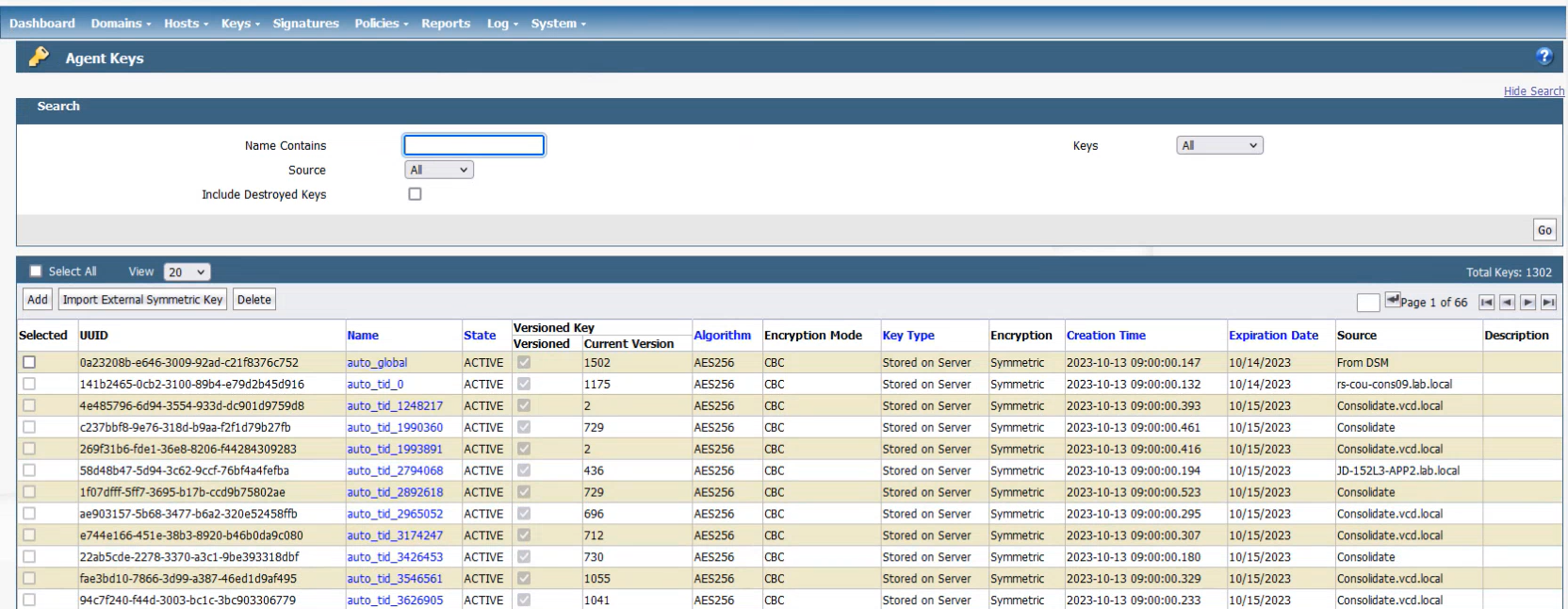
Go to Keys, select Agent Keys.
-
Click the name of each key you want to update.
-
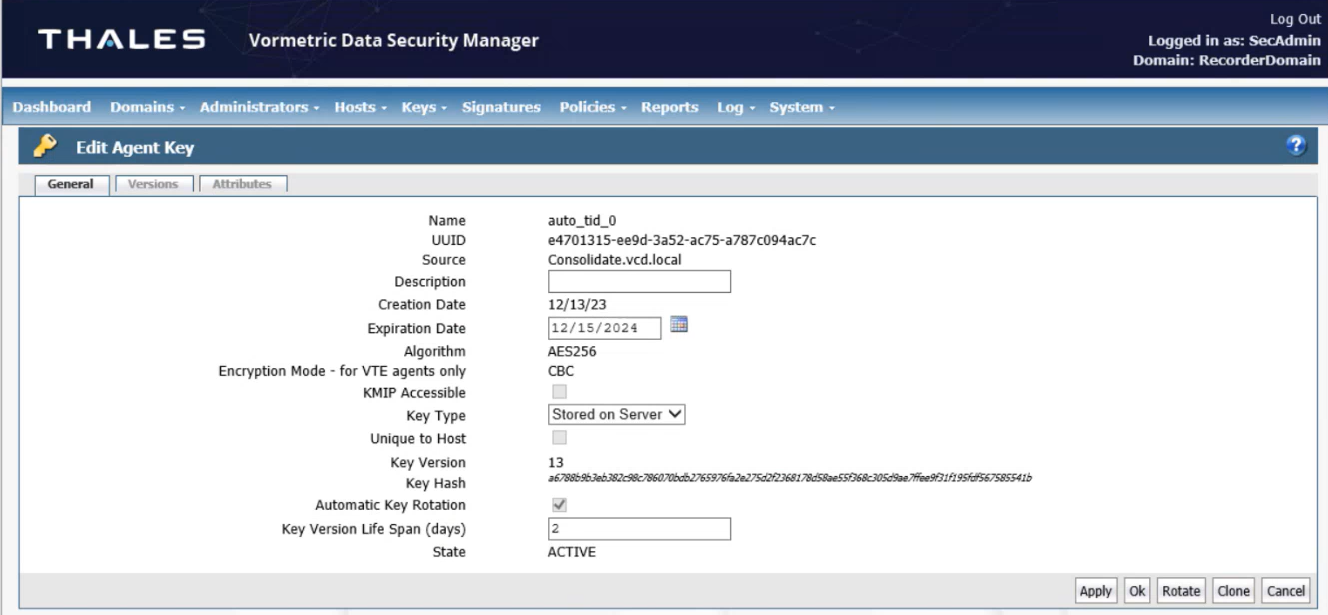
Change the date of key expiration, by doing one of the following in the Edit Agent Key page:
-
Select a future date in Expiration Date field.
-
Extend the number of days in the Key Version Life Span (days) field to 365.
-
-
Click Apply.
What to do next