Run digital interaction recovery manually for Genesys Cloud CX
Start digital interaction recovery manually if automatic recovery is disabled, your system or network recently experienced downtime, or you suspect conversations are missing.
Before you begin
Enable automatic digital interaction recovery for Genesys Cloud CX
What you should know
Contact retention for Genesys Cloud CX
Procedure
Select System Management, under Enterprise, select Settings.
In the Installations pane, select your IP Recorder, click Launch
Select General Setup, under Integration Adapters, select Settings.
Select Genesys Cloud Adapter, click the Recover Calls button.
Specify a start time and end time, click Recover.
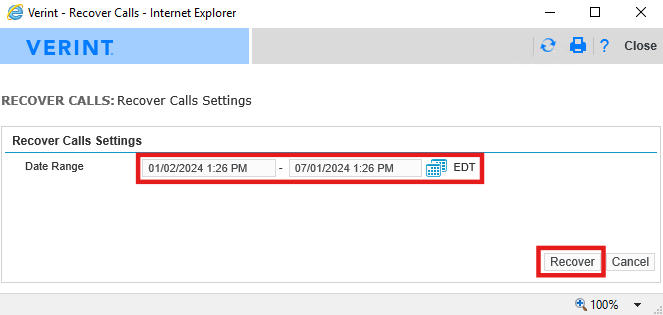
The process runs in the background.
What to do next
Verify digital interaction recovery status for Genesys Cloud CX