Associate a Recorder with the Integration Service
A Recorder is automatically associated with an Integration Service during installation if they are both on the same server. You can associate Recorders with an Integration Service at any time thereafter using the procedure below.
Workflow sequence
-
Workflow: IP-based voice and video recording: Task 1 of 8
-
Workflow: Screen recording: Task 1 of 7
Procedure
-
Click System Management > Settings.
-
Locate a Recorder server with the Recorder Integration Service role by clicking the arrow button beside the name of the Recorder.
-
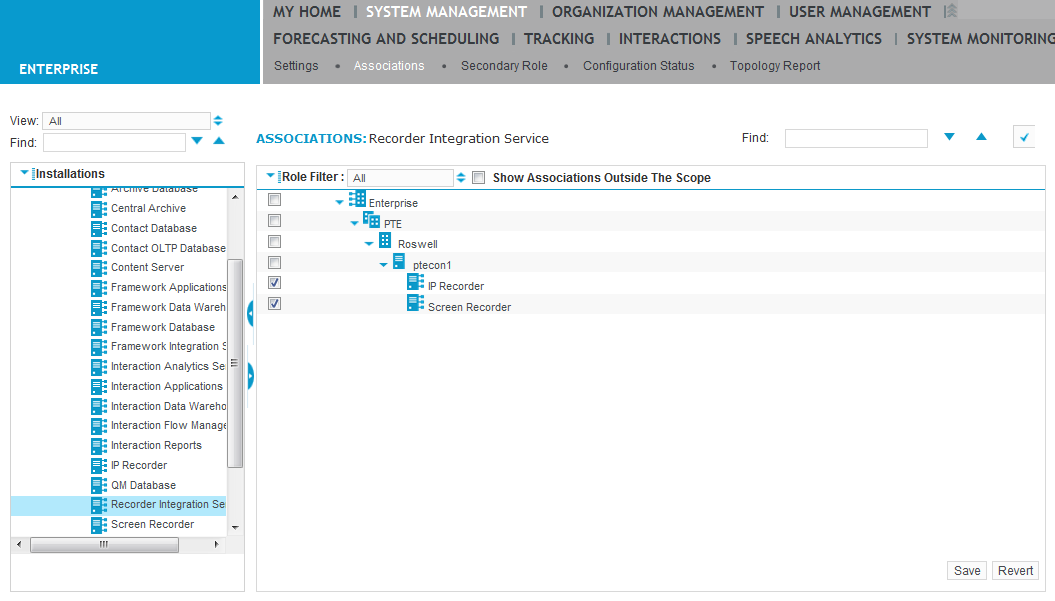
Click the Recorder Integration Service role, then Associations.
-
In the right-hand pane, select the Recorder server(s) you want to associate with the Integration Service.
-
Click Save.
What to do next
-
Voice recording: Create a phone data source
-
Screen recording: Create a LAN data source
Associate a server role with a Recorder