View database settings
Use the following procedure to view database settings.
Procedure
-
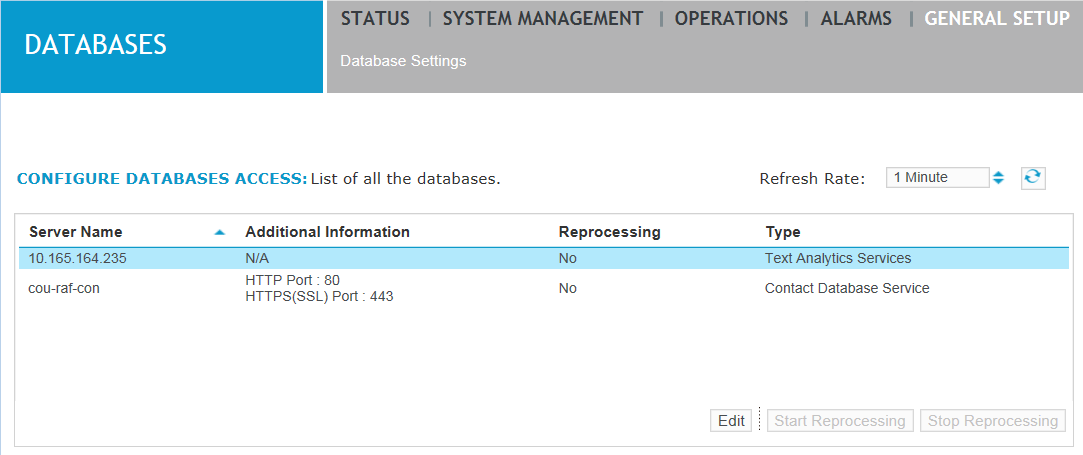
Click General Setup > Databases > Database Settings.
-
Review the following fields:
Field
Description
Server Name
Shows the name of the database server. This name must be unique.
Additional Information
Shows information such as whether this is the Text Analytics database, Calls database and whether it is the Site database (in a Site with Centralized Archiving enabled).
Reprocessing
Shows whether or not one of the following is being reprocessed:
-
Contact database calls
-
Text Analytics database calls and content
For additional information about reprocessing, see Reprocess call date ranges.
Type
Shows the type of access:
-
Contact Database Service
-
Text Analytics Services
-
-
From this screen you may click Start Reprocessing or Stop Reprocessing to start or stop the re-upload of call metadata or call metadata and content to the target database, as described in Reprocess call date ranges.
-
You may also select a database and click Edit to make changes to certain settings.