Configure Zoom Meetings to record all media
Before Verint can retrieve the audio, video, and chat from future meetings, Zoom Meetings application must automatically record and archive the meeting media on your Zoom cloud.
All parameters, roles, and permissions listed in the procedure are the minimum required. The Verint Recorder cannot retrieve media that is stored locally on a Zoom user's device.
Before you begin
-
To have meetings of regulated users archived when they join an externally hosted meeting, contact Zoom support to enable this feature for your account.
-
Ask the Administrator for the client Zoom accounts to enable cloud recording and follow the enablement process to access the archiving feature, for all Zoom accounts.
Procedure
-
Contact Zoom Support to enable the following settings for your Zoom account:
-
Meeting Archiving
-
Archiving
-
External Chat Archiving
-
Archiving audio for external meetings
-
-
Sign in to the Zoom web portal as an admin with the privilege to edit account settings.
-
In the navigation menu, click Account Management, and then Account Settings.
-
Click the Recording tab.
-
Enable Cloud Recording.
-
If a verification dialog appears, click Enable to verify the change.
-
Make the setting mandatory for all users in your account by clicking the lock icon
 , and then click Lock to confirm the setting.
-
-
Under Cloud recording, do the following:
-
Enable Record active speaker with shared screen.
-
Enable Record gallery view with shared screen.
-
Enable Save chat messages from the meeting.
-
Disable Record audio-only files.
Important: Make sure this setting is disabled. If it is enabled, Zoom will record ONLY the audio files and no video will be recorded.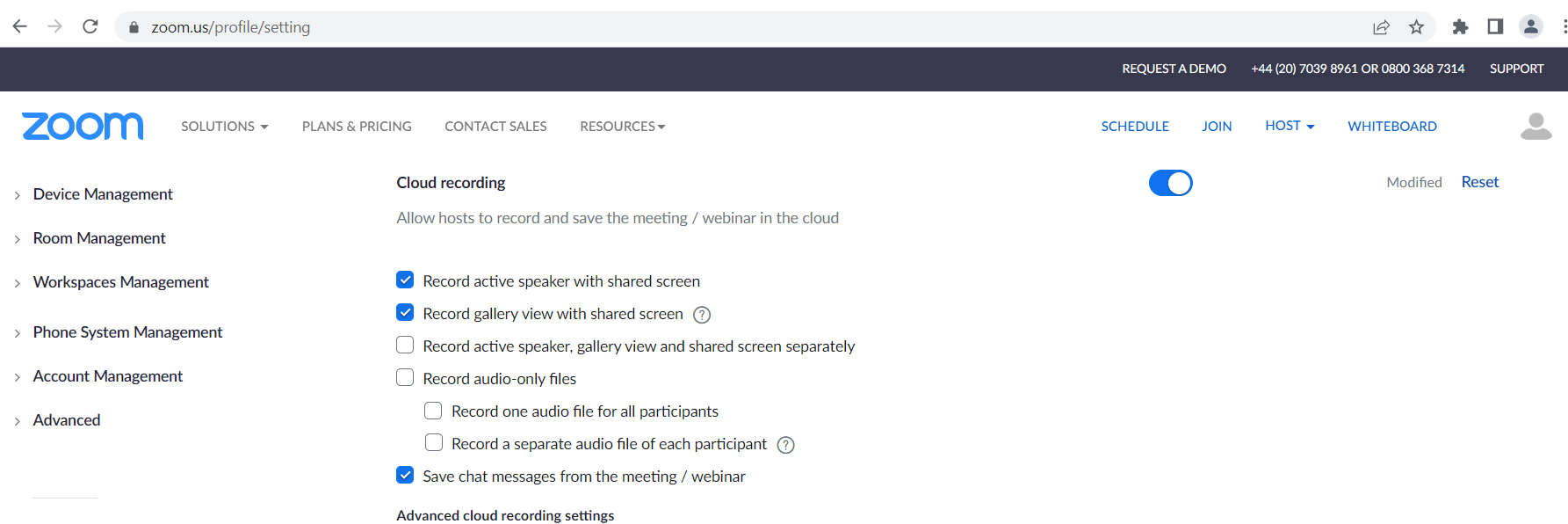
-
-
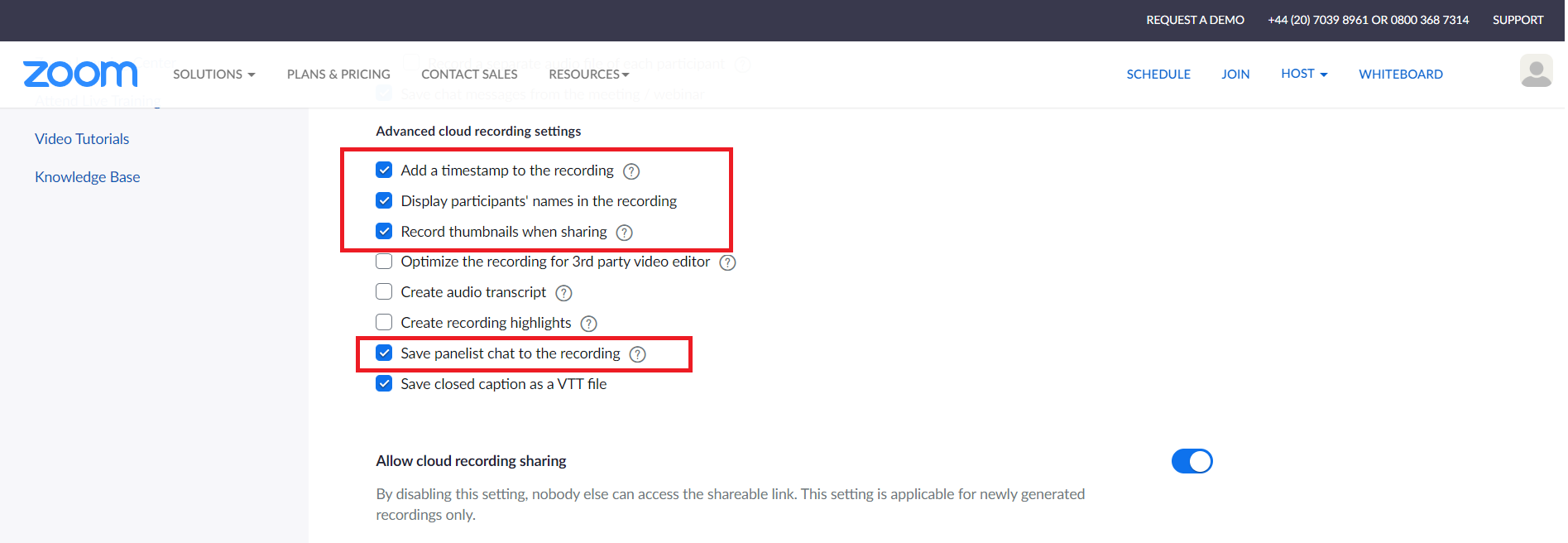
Under Advanced cloud recording settings, enable the following options:
-
Add a time stamp to the recording
-
Display participants' names in the recording
-
Record thumbnails when sharing
-
Save panelist chat to the recording
-
What to do next
Workflow: Integrate Zoom Meetings with Recorder
Enabling automatic recording of a Zoom meeting (Zoom Support)
Enabling cloud recording (Zoom Support)
Changing basic and advanced cloud recording settings (Zoom Support)