Enable automatic call recovery for Zoom Meetings
Configure your Zoom Meetings adapter to recover interactions automatically.
Best practices
-
Configure call recovery to run automatically.
What you should know
-
Automatic call recovery runs daily at midnight on the active (main)
Procedure
-
Enable call recovery to run automatically on your Zoom Meetings Adapter.
-
Select System Management, under Enterprise, select Settings.
-
In the Installations pane, select your
-
Select General Setup, under Integration Adapters, select Settings.
-
Confirm that Zoom Meetings Adapter is Started.
-
Select Zoom Meetings Adapter.
-
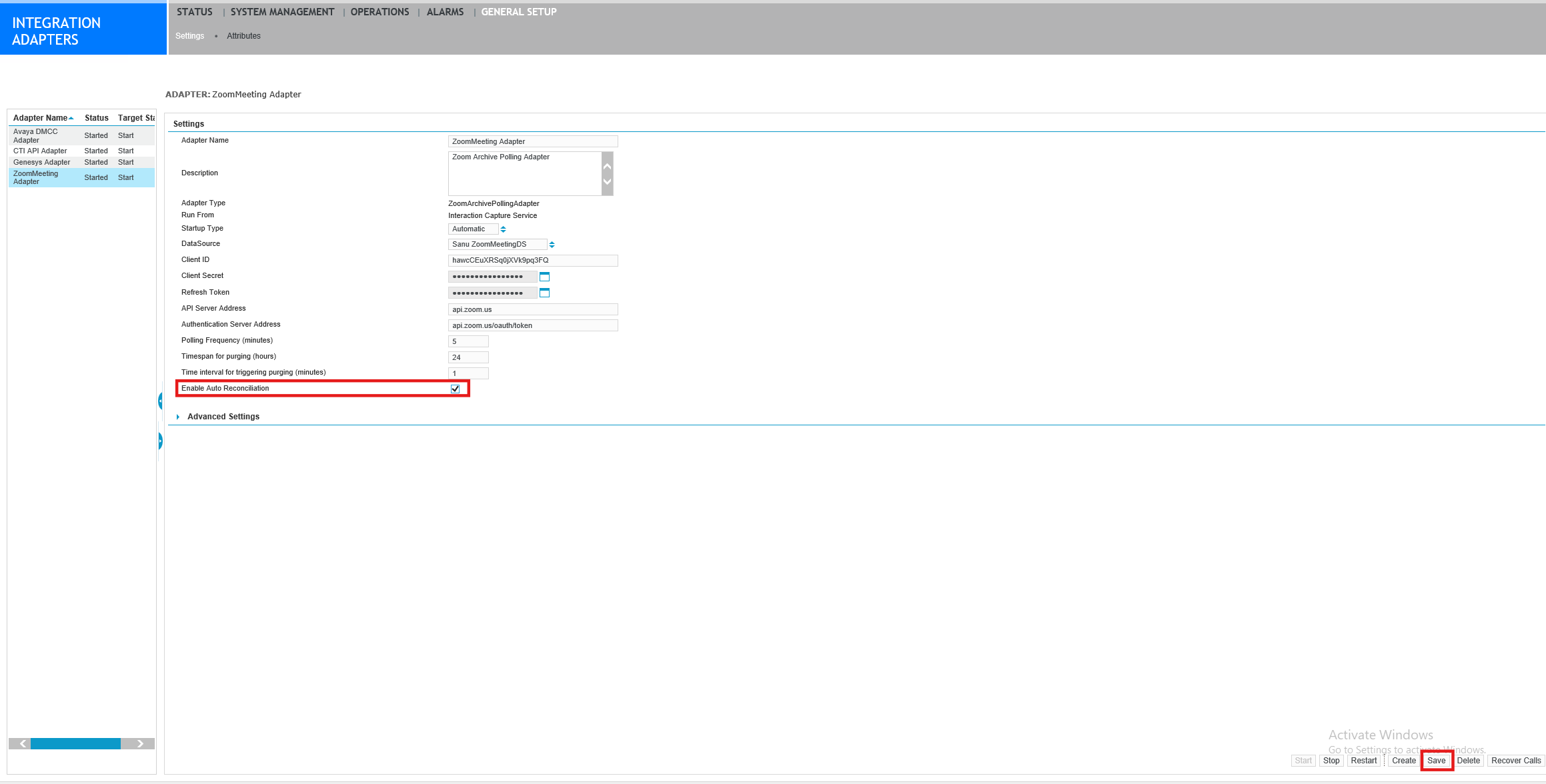
Select Enable Auto Reconciliation.
-
Save your changes.
-
Restart the adapter.
-
-
Repeat this procedure on the standby
What to do next
After automatic recovery finishes running at midnight, Verify call recovery status for Zoom Meetings