Create the adapter for text capture from Genesys Cloud CX
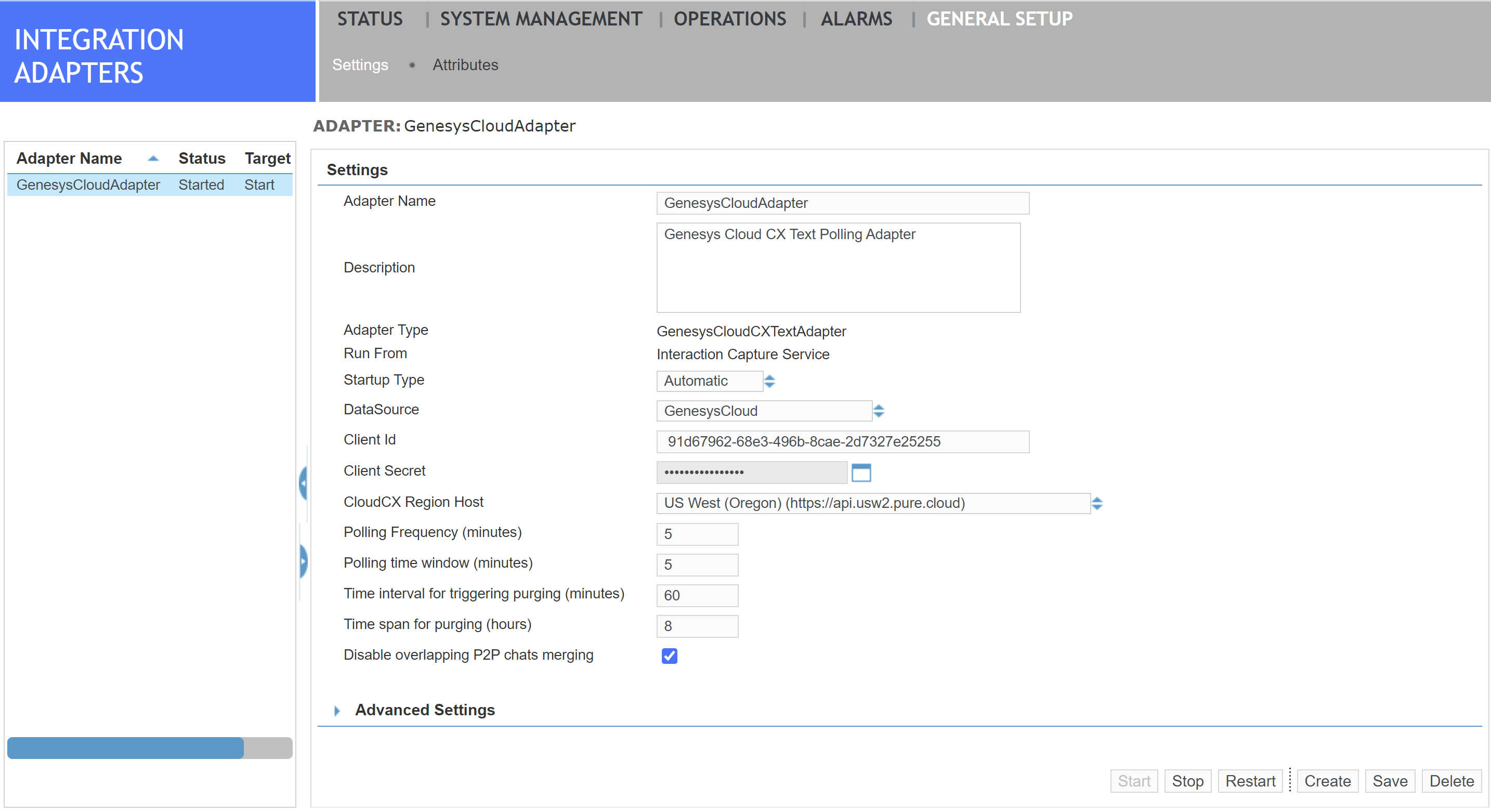
To capture messages and conversations from the digital channels in your Genesys Cloud platform, you must create a Genesys Cloud CX Text Polling Adapter on your primary and secondary Recorders. The Genesys Cloud CX Text Polling Adapter authenticates and connects the Interaction Capture Service to Genesys Cloud CX. It periodically polls Genesys Cloud CX for completed text interactions from digital channels; including, email, and instant messaging apps.
The Service Provider is responsible for this task.
Before you begin
Create a Genesys Cloud CX data source
Create a capture profile that captures text from Genesys Cloud CX
Procedure
-
In Recorder Manager, go to General Setup, under Integration Adapters, click Settings.
-
Click Create, then select Genesys Cloud CX Text Polling Adapter.
-
Click Save.
-
If you have a secondary Recorder, follow this procedure to create another Adapter.
What to do next